Loading
How to Access and Use Marketing Assets from TrustFinance

TrustFinance
Sep 25, 2025
7 min read
167

In today’s competitive financial industry, visibility and trust are everything. To help our partners maximize their exposure, TrustFinance provides a suite of marketing assets from widgets and shareable content to official badges and certificates. These tools are designed to strengthen your credibility, showcase achievements, and boost brand recognition across your channels.
In this guide, we’ll walk you through how to access and use each type of marketing asset step by step. For a complete overview of all available features, you can also explore our TrustFinance for Business Guide.
Step 1: Log in to Your TrustFinance Business Account
- Visit TrustFinance Business
- Log in using your company’s registered email and password.
- If you don’t have access yet, request credentials from your TrustFinance account manager.
Before diving into assets, make sure you’ve set up your company profile correctly. If you haven’t yet, start with How to Claim Your Business Profile on TrustFinance. Once claimed, you can manage and customize your profile to ensure accurate logos, descriptions, and licenses appear in every asset.
Step 2: Navigate to the Marketing Assets Section
From your dashboard, open the left-hand menu and click on Marketing Assets.
You’ll see four sub-sections:
- Widget Website
- Social Sharing
- Email Widgets
- Marketing Assets (general badges, certificates, and downloads)
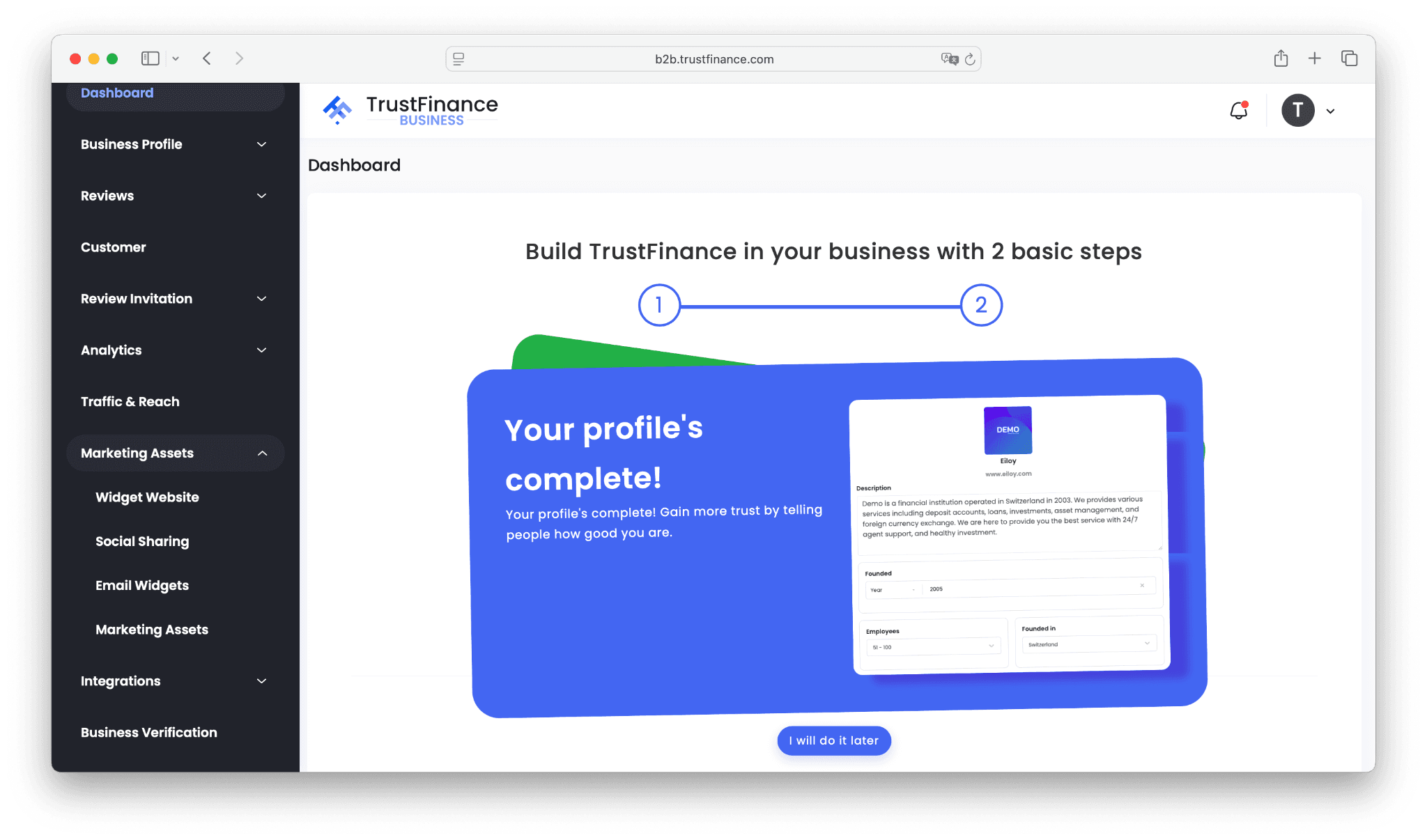
Widget Website
The Widget Website feature allows you to embed TrustFinance review widgets directly into your company website.
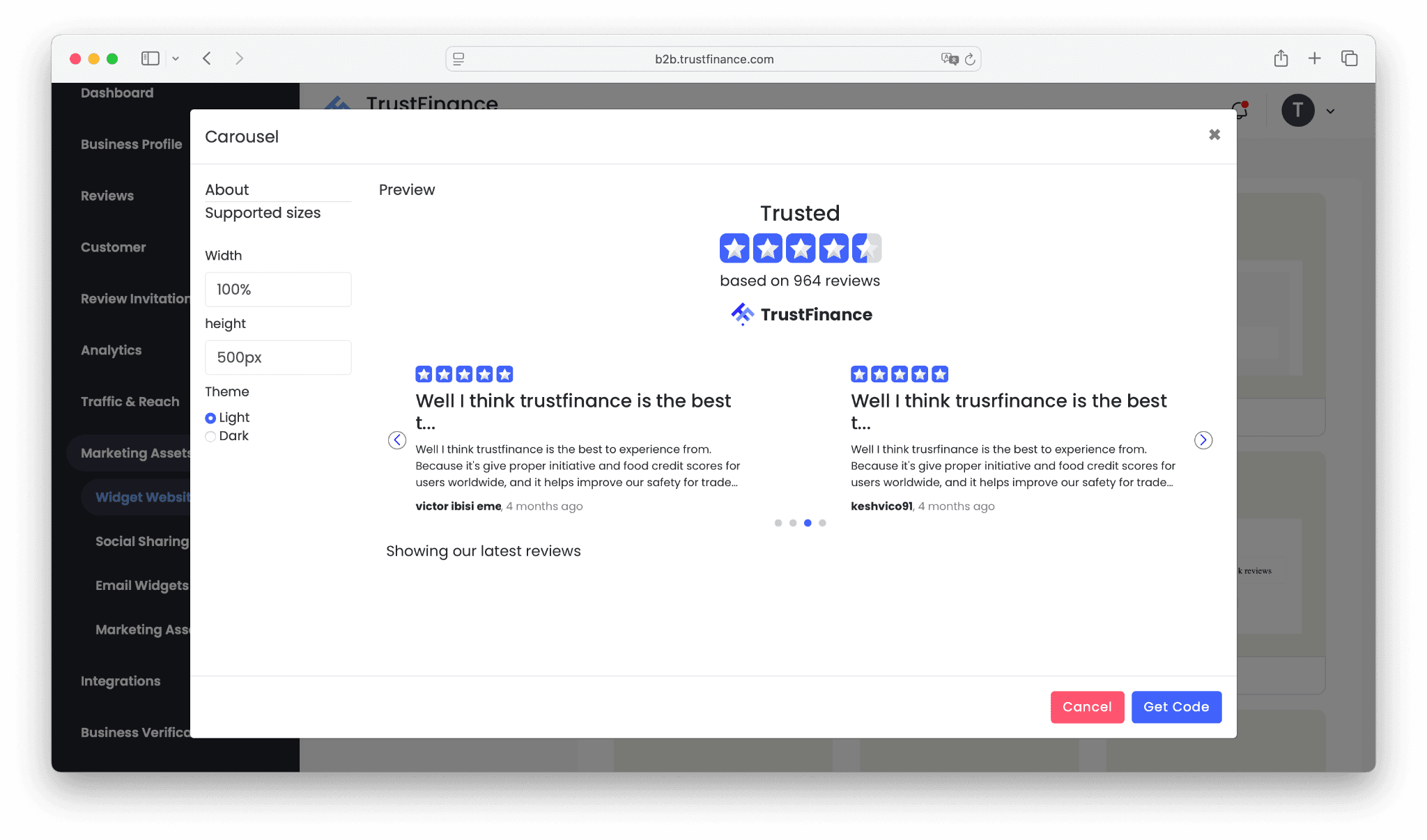
- Choose from up to 13 widget templates (depending on your subscription plan).
- Templates include Carousel, Drop Down, Evaluate, List, Filtered List, Micro Button, and more.
- Each widget automatically pulls your latest TrustFinance reviews and ratings, keeping your site credible and fresh.
How to Use
- Go to Marketing Assets > Widget Website.
- Select a widget template that fits your site layout.
- Customize settings such as size, layout, and style.
- Copy the embed code provided.
- Paste it into your website (homepage, landing pages, or product pages).
For the best results, place review widgets near conversion points. To make those reviews more impactful.
Social Sharing
The Social Sharing tool makes it effortless to turn customer reviews into engaging social posts.
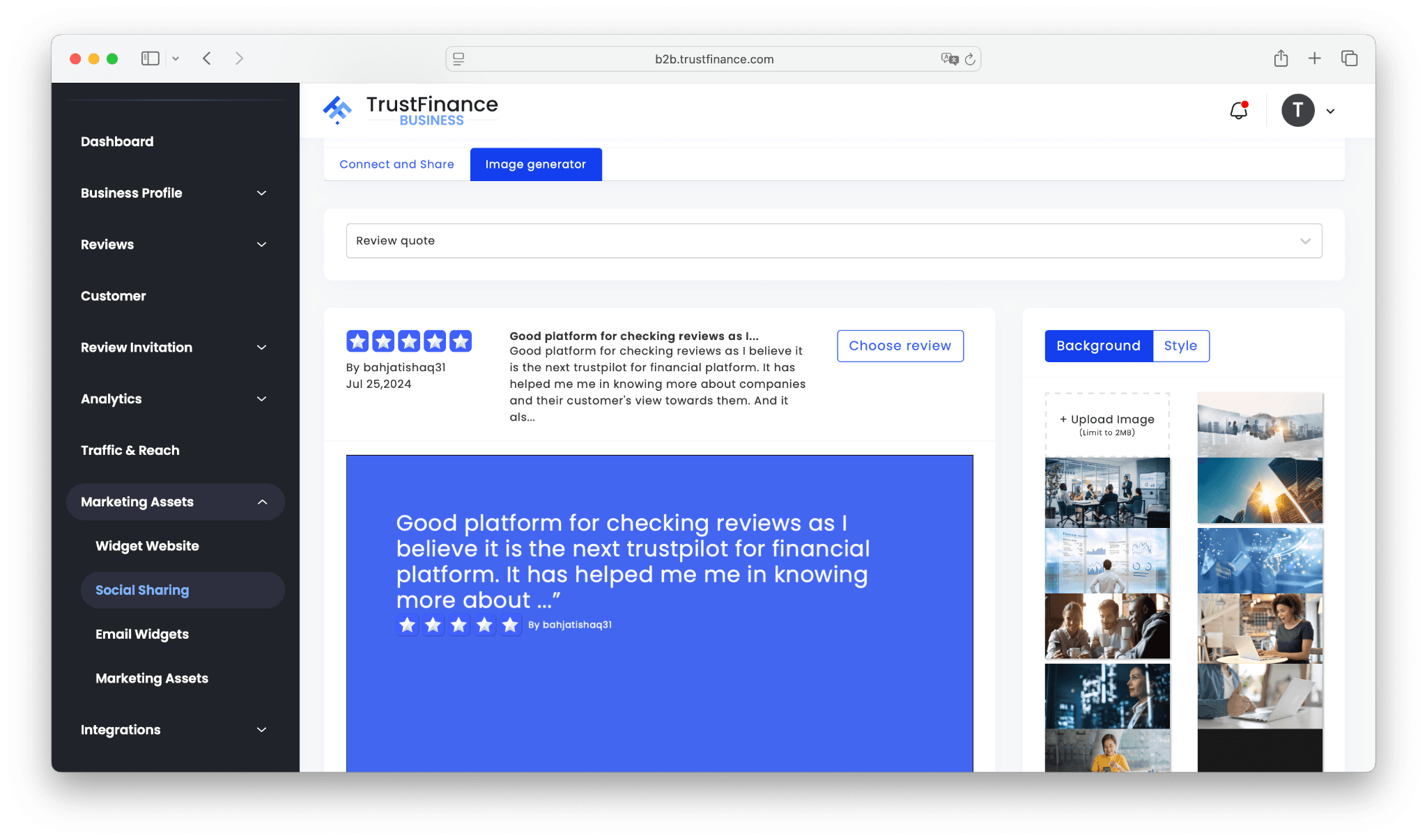
- Use the built-in Image Generator to create eye-catching posts.
- Select a review you want to highlight.
- Customize with your choice of backgrounds and styles (or upload your own image).
- Share directly to Facebook or Twitter, or download the image for LinkedIn, Instagram, and other platforms.
How to Use
- Go to Marketing Assets > Social Sharing.
- Click Image Generator.
- Choose a customer review from your TrustFinance profile.
- Select a background image and style.
- Preview the final design.
- Share directly to social media with one click.
Pro Tip: Pair Social Sharing with How to Use the Review Invitation Feature to Collect More Reviews. The more reviews you gather, the more authentic content you’ll have to showcase across channels.
Email Widgets
The Email Widgets feature allows you to showcase your TrustFinance reviews directly inside your email communications — whether in signatures or newsletters.
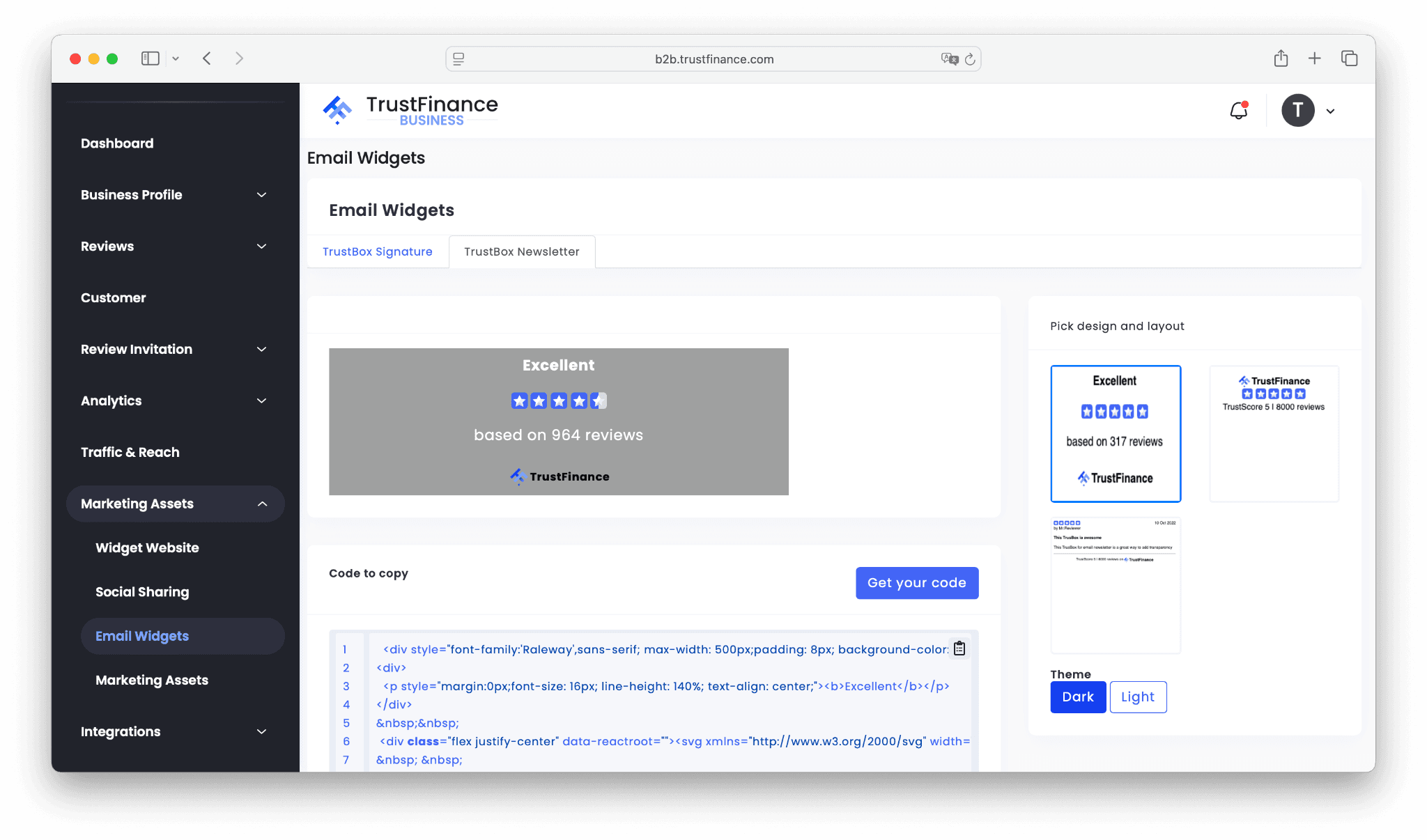
- Two main options: TrustBox Signature (for personal email footers) and TrustBox Newsletter (for campaigns).
- Choose from multiple layouts such as star ratings, review counts, or TrustScore highlights.
- Customize the look with dark or light themes.
- Copy the ready-made HTML code and paste it into your email platform.
How to Use
- Go to Marketing Assets > Email Widgets.
- Select TrustBox Signature or TrustBox Newsletter.
- Pick your design and layout from the available templates.
- Choose between Dark or Light theme.
- Click Get your code and copy the HTML snippet.
- Paste it into your email signature or newsletter template.
Every email becomes an opportunity to reinforce credibility. Combine this with insights from How to Use Analytics to Track Reviews and TrustScore Growth to measure the impact of your email campaigns.
Marketing Assets (General)
The Marketing Assets library provides a collection of ready-to-use creative materials to amplify your brand campaigns.
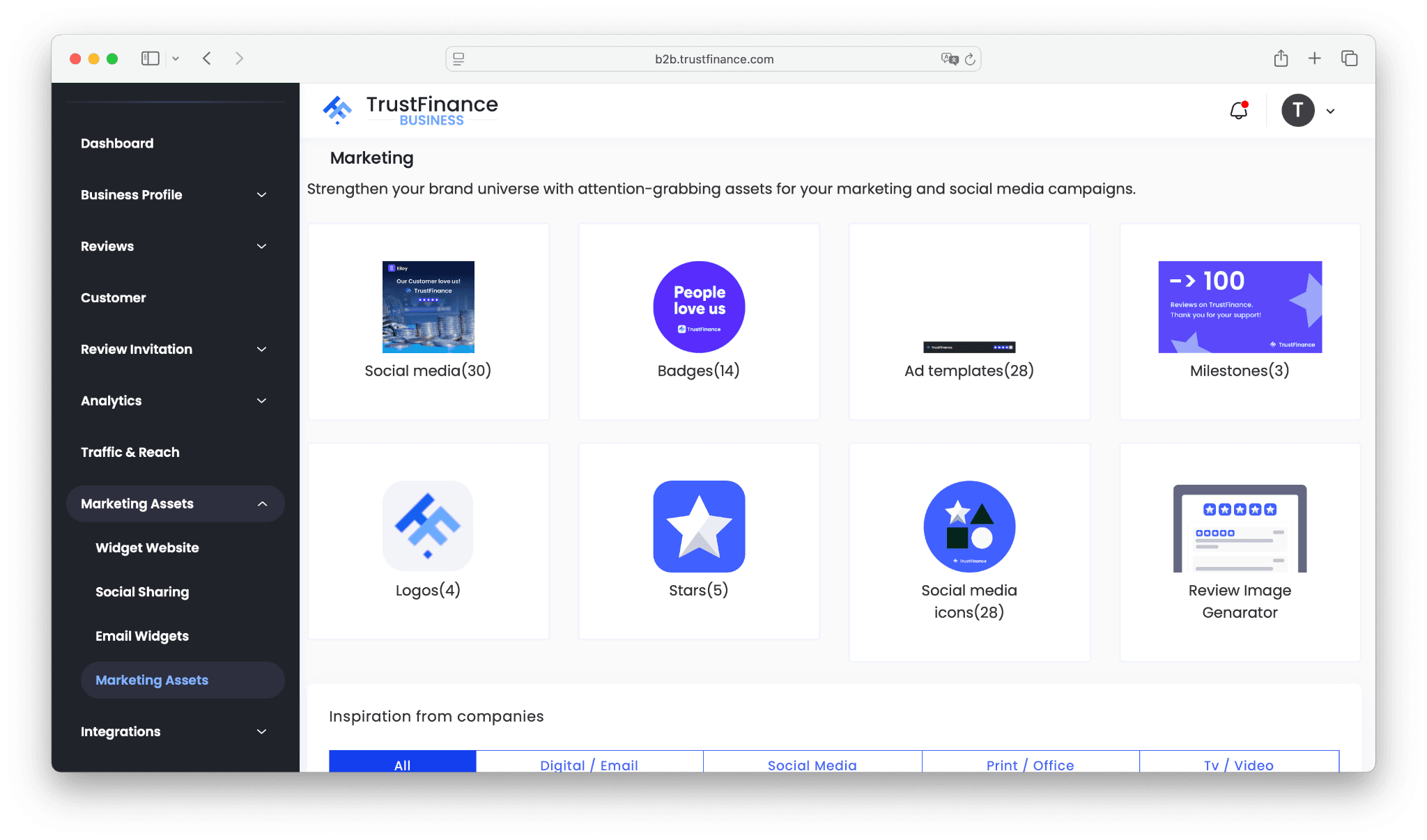
Available downloads include:
- Social Media Templates – premade designs for Facebook, LinkedIn, and Instagram.
- Badges – e.g., “People Love Us” or “Top-Rated on TrustFinance.”
- Ad Templates – creative assets tailored for paid advertising campaigns.
- Milestones – graphics to celebrate review achievements.
- Logos & Icons – official TrustFinance assets for consistent branding.
- Stars & Ratings – visual elements to highlight TrustScore.
- Review Image Generator – custom graphics built from your reviews.
How to Use
- Go to Marketing Assets > Marketing Assets.
- Browse the categories (social media, badges, ads, milestones, etc.).
- Download the files you need.
- Use them across your campaigns, presentations, and promotional materials.
Want to boost the credibility of these assets? Start by verifying your business on TrustFinance — verified businesses enjoy stronger trust signals when using badges and certificates.
Best Practices
- Always follow brand guidelines provided in your asset kit.
- Don’t edit or distort the official TrustFinance logos, badges, or certificates.
- Link widgets, badges, and graphics back to your TrustFinance company profile for transparency.
- Combine multiple asset types (website + social + email + ads) for maximum visibility.
For long-term reputation growth, we recommend also reading How to Maximize Your TrustScore on TrustFinance.
Final Thoughts
TrustFinance marketing assets aren’t just visuals — they’re trust signals. From widgets on your website to shareable certificates and digital badges, each asset builds credibility and helps you stand out in the financial industry.
Start today by exploring the Marketing Assets section in your dashboard and make the most of every tool available to you.
Written by
TrustFinance
TrustFinance helps financial companies build credibility and traders make safer choices through verified profiles, authentic reviews, and research-driven insights.
Tags:
Best pick of the Week
Related Articles


26 Sep 2025
How to Use Integrations on TrustFinance
