Loading
How to Use Analytics to Track Reviews and TrustScore Growth

TrustFinance
Sep 23, 2025
6 min read
153

Your TrustScore is the number clients look for when assessing your credibility on TrustFinance. Every review, every star rating, and every reply counts. The Analytics tab is your control center for monitoring results and planning improvements. Here’s an actionable guide for each sub-tab, so you can make the most of your performance data:
Overview
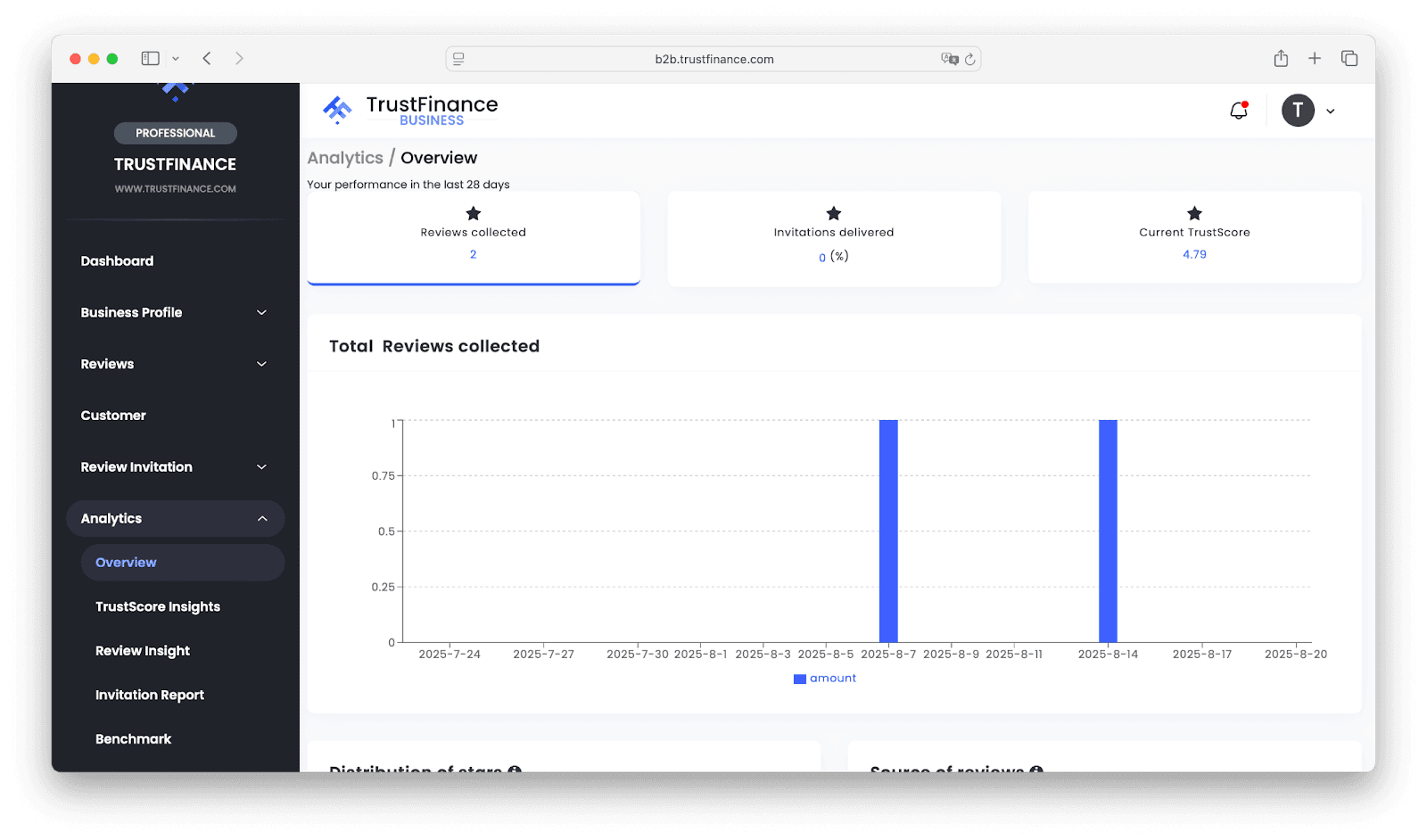
Start with the last 28 days’ snapshot to see how your business is trending.
- Reviews Collected: Track new and total reviews. For example, if you only collected 2 reviews but had high profile visits, consider reaching out to recent customers and inviting feedback after key moments like onboarding or support resolution.
- Invitations Delivered: Monitor how many review invitations you’ve sent. If the number is low or at zero, schedule regular outreach as part of your workflow.
- Current TrustScore: Keep an eye on this as your primary health metric. A dip may signal recent negative feedback or a lack of new positive reviews.
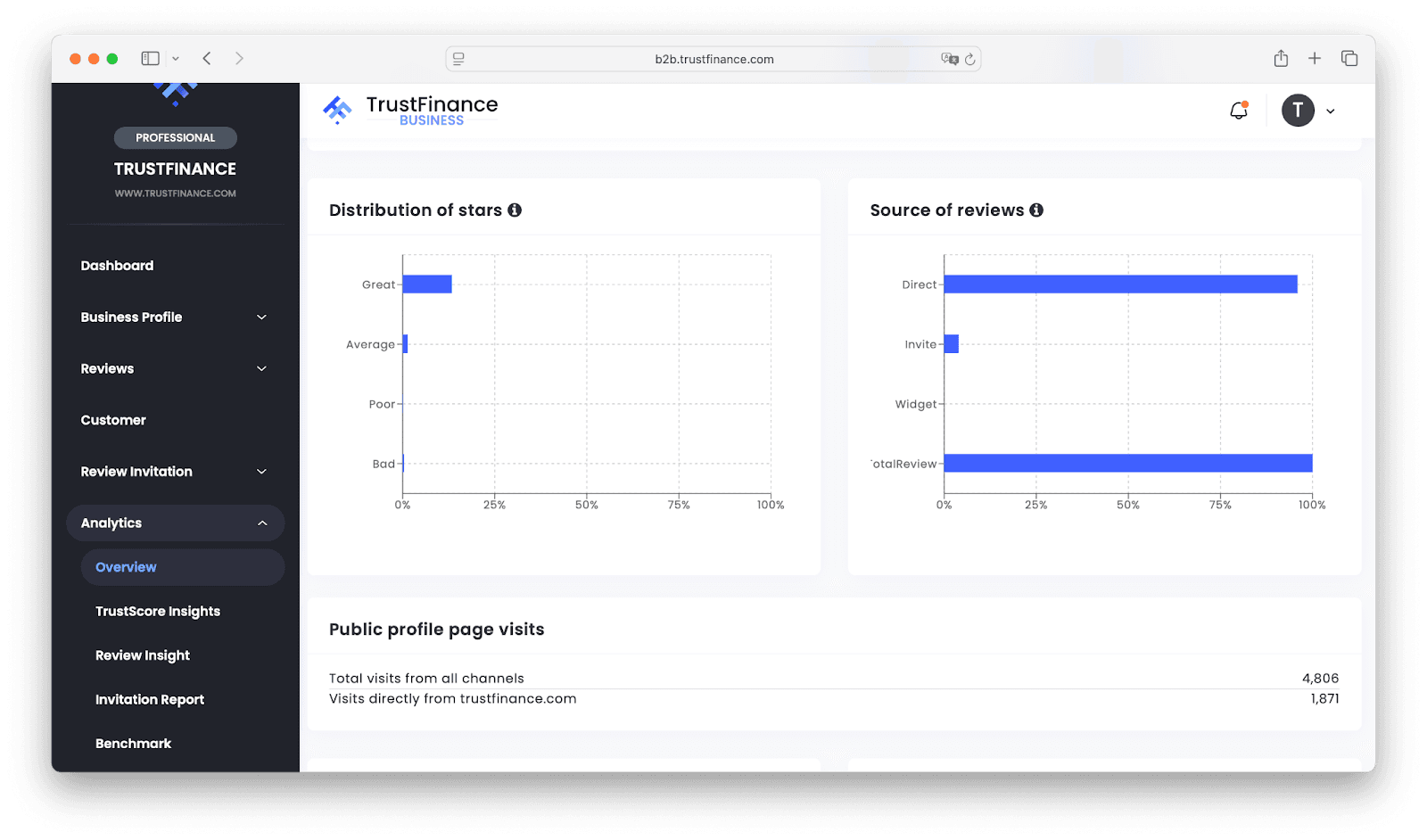
- Star Distribution: Visual charts help you quickly identify if negative feedback is on the rise. If you notice more “Average” or “Poor” ratings, investigate recent customer interactions for patterns.
- Source of Reviews: See whether reviews come directly, via invites, or from your website widget. This helps you focus efforts—if invites aren’t converting, it might be time to update your message.
- Profile Visits: Compare total page visits (e.g., 4,806 visits) with your number of reviews; if many visitors aren’t leaving reviews, add more visible calls to action or consider asking satisfied clients directly.
Reply Behavior: Check reply counts and response times for 1-star and 2-star reviews. If you haven’t replied to any low-rated reviews, prioritize crafting thoughtful, prompt responses—it can turn unhappy customers into advocates.
TrustScore Insights
Use this tab to analyze what’s driving your reputation and set measurable goals.
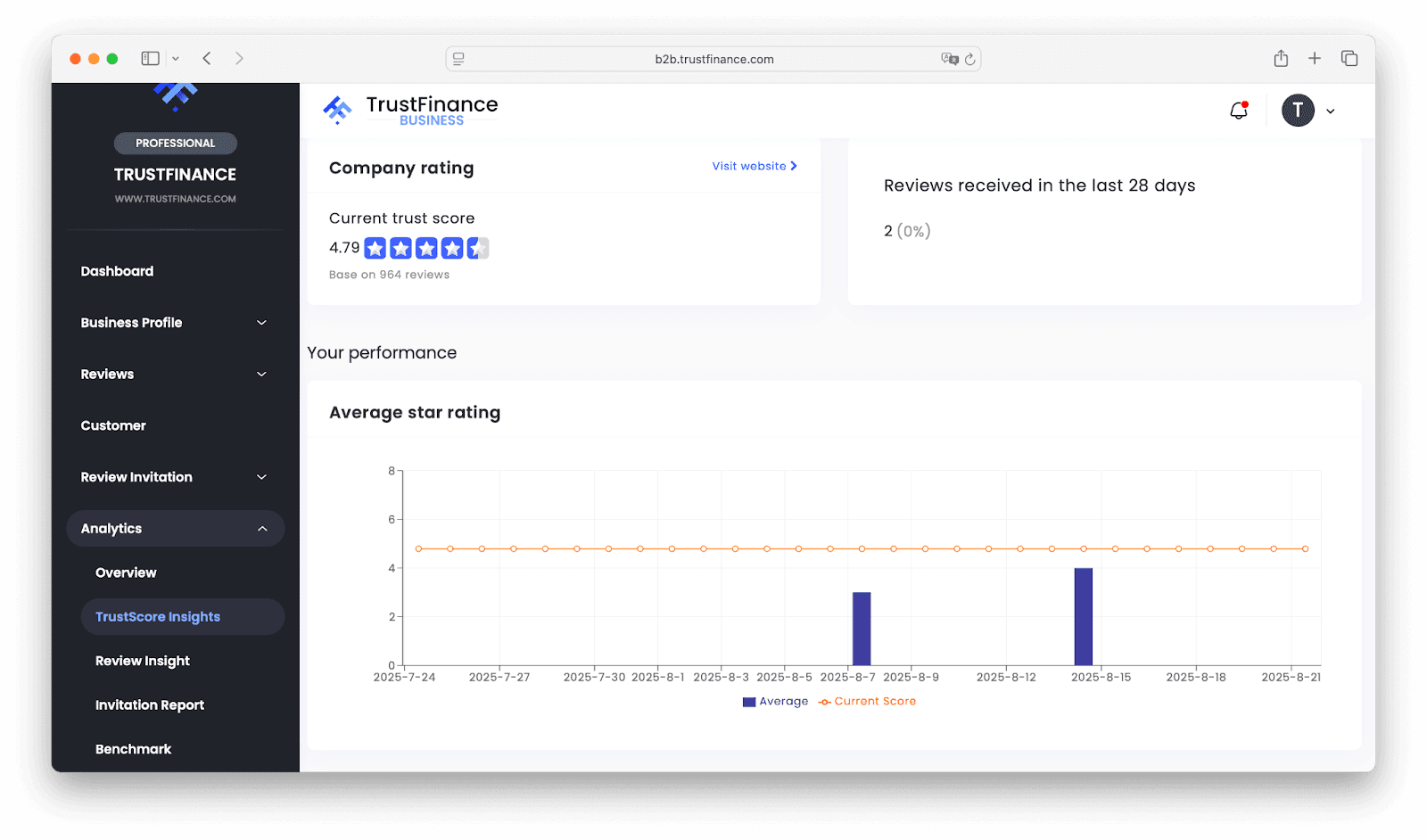
- Score Trend: Review your TrustScore’s movement over time, and take immediate action on drops by contacting affected clients or addressing recurring issues.
- Volume of Reviews: A higher review count (e.g., 964 total) stabilizes your score. If you’re new, prioritize gathering frequent feedback to build credibility quickly.
- Category Benchmark: See if your TrustScore is above or below the industry average. If you match or lead your category (like a 4.79 vs. a 4.79 category average), highlight this strength in your marketing.
- Invitation Conversion: Check how many review requests turn into actual reviews (e.g., 52% conversion). If your rate is low, try sending requests sooner after positive interactions or updating your invitation content.
Tip: Set monthly or quarterly improvement targets, such as increasing your conversion rate by 10% or boosting your TrustScore by 0.1 point.
Review Insight
This section gives you a granular look at feedback to find actionable trends.
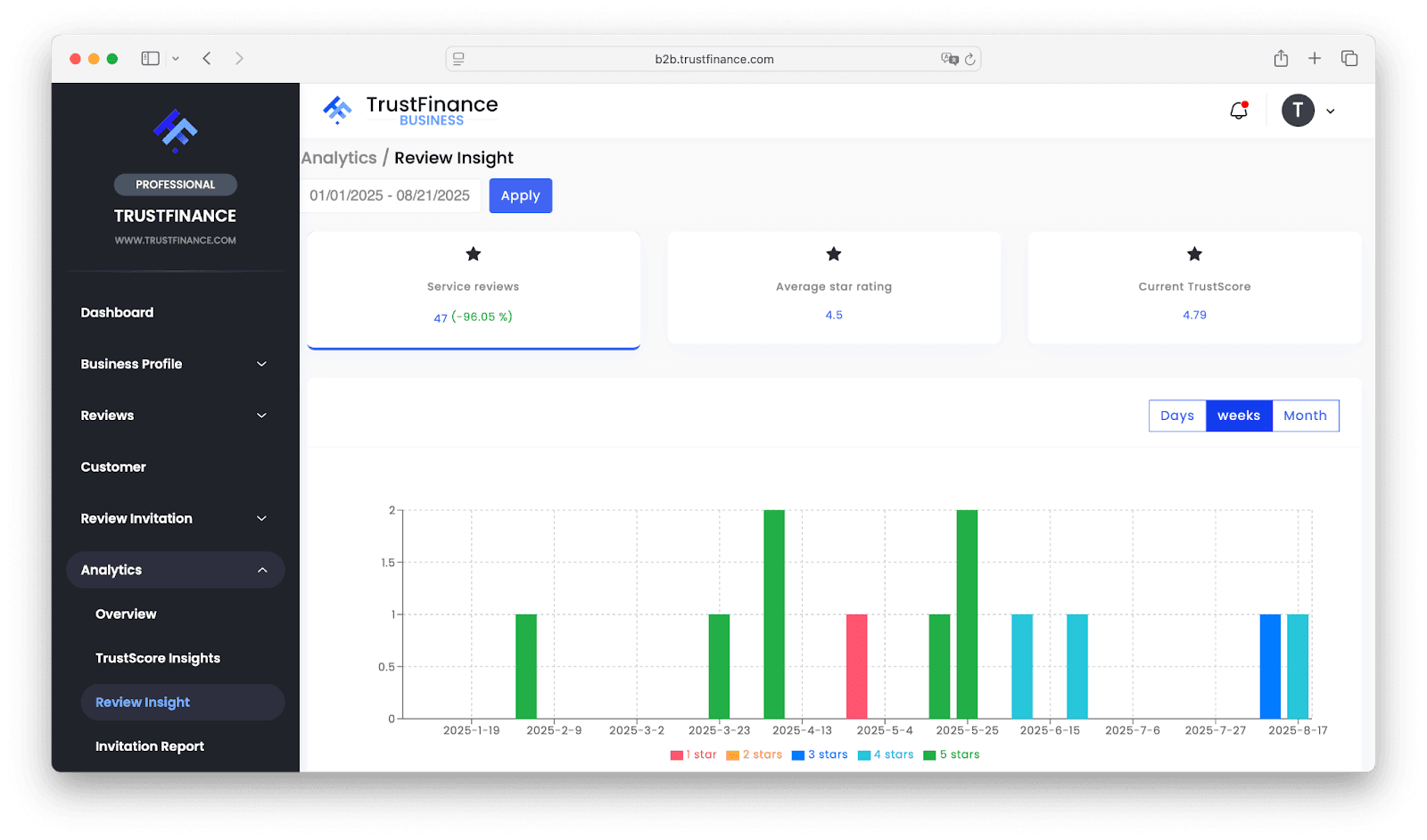
- Service Reviews & Ratings: View the number and average rating of your reviews in any period. For example, a recent average of 4.5 from 47 new reviews shows strong satisfaction, but look for consistency over time.
- Distribution of Stars: Use graphs to spot shifts—a sudden increase in 3-star reviews may require a quick survey to investigate root causes.
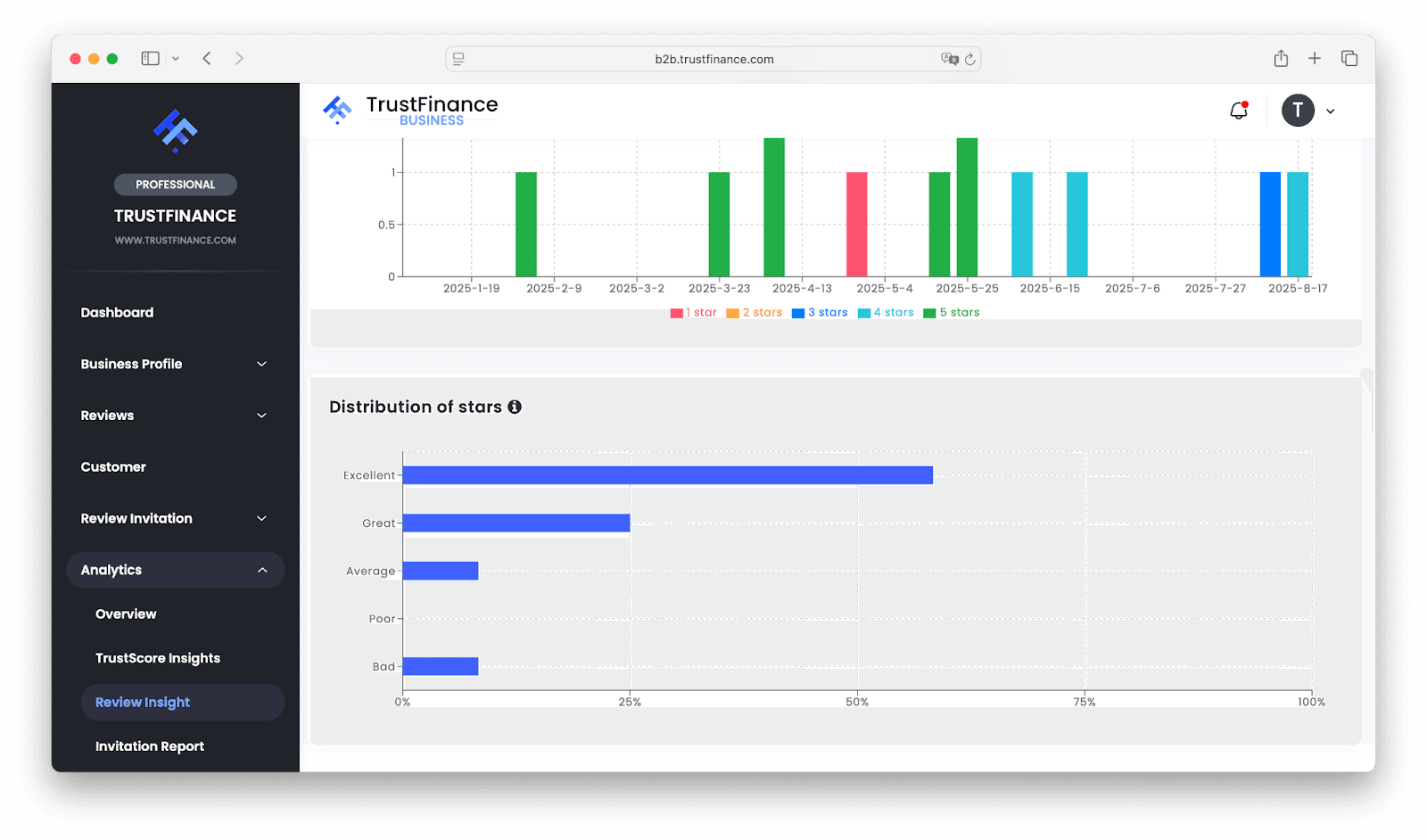
- Current TrustScore: Always review this alongside your review quality to ensure your efforts align.
Action: Schedule regular reviews of this section—filter by different time ranges or product lines to drill down on specific issues or wins.
Invitation Report
Here’s where automation helps you scale up review collection.
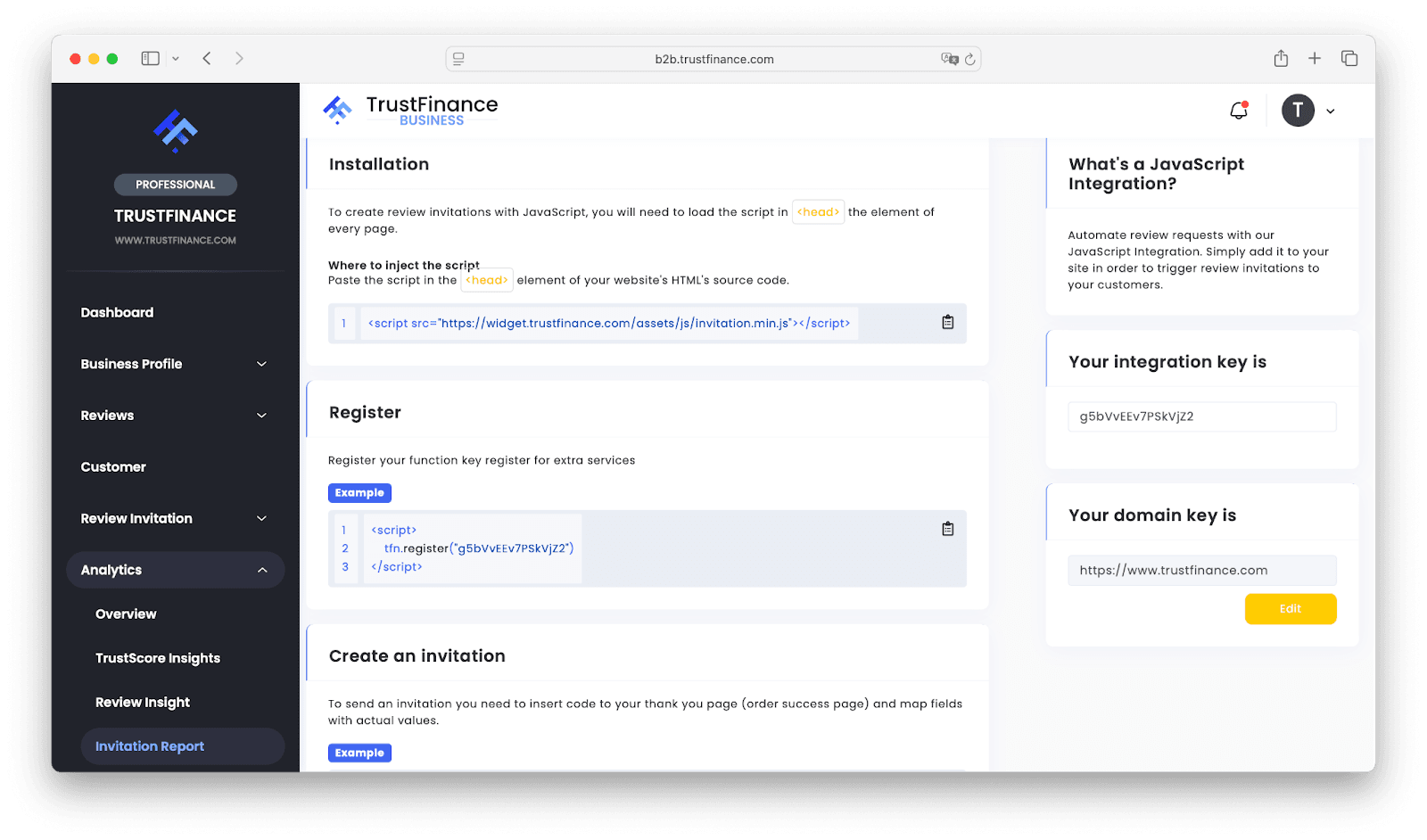
- Installation & Setup: Make sure your website has the latest invitation script loaded in the <head> tag. For example, add <script src="https://widget.trustfinance.com/assets/js/invitation.min.js"></script> and register your function key as shown.
- Sending Invitations: Use triggers like completed orders or post-support ticket closures to send review requests. The more timely the request, the higher your conversion chances.
- Optimization: Compare sent invitations to received reviews. If you sent 0 invitations, start now—if many go unanswered, adjust your timing or message. Map customer fields (email, first and last name) correctly for best results.
Try This: Experiment with different trigger points and messages. Thank customers for their business, then politely request their honest feedback.
Benchmark
Gauge your business against your peers for targeted improvements.
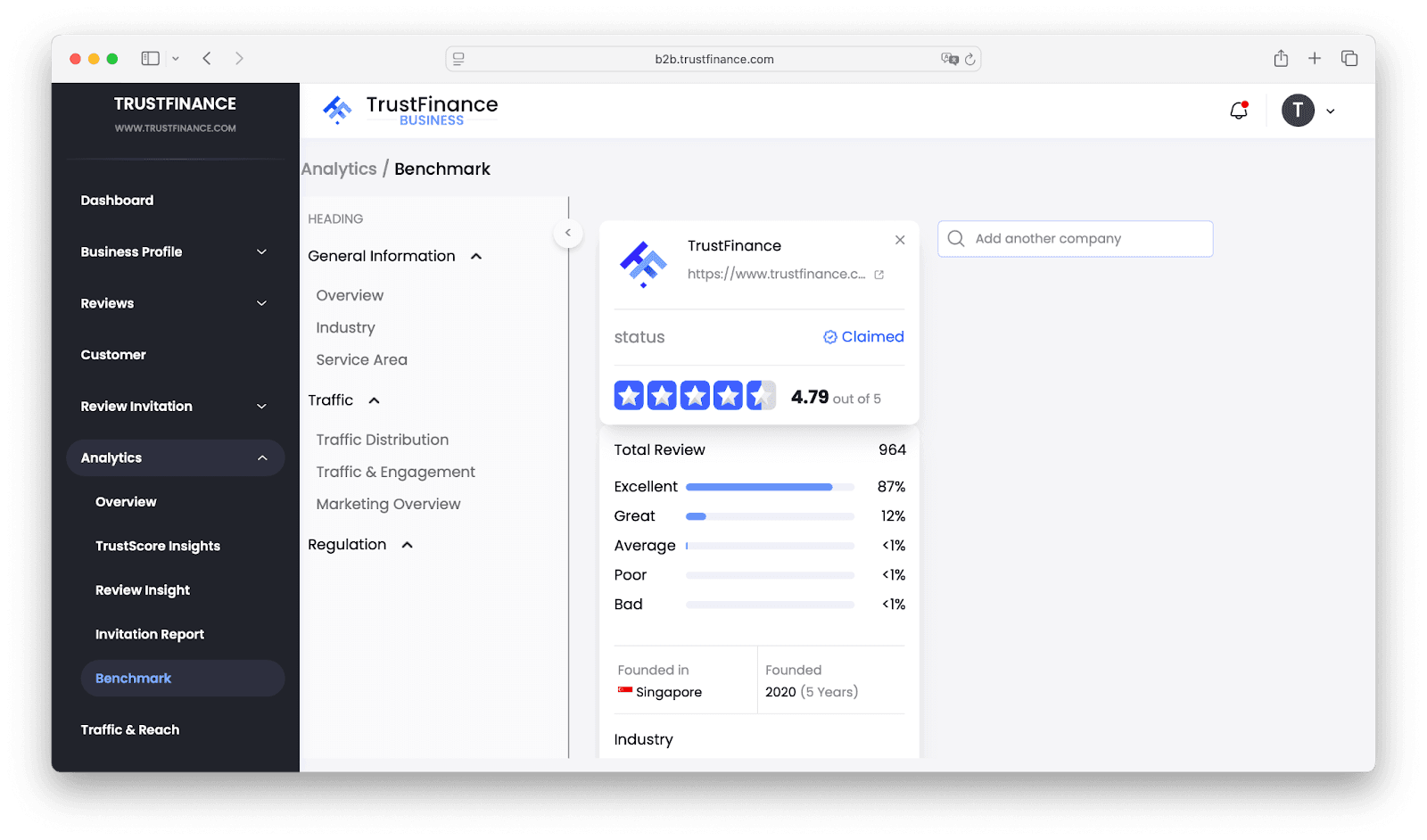
- TrustScore & Review Count: Directly compare your numbers with industry averages. If you’re lagging behind, focus on outreach campaigns or improving service where needed.
- Reply Rate & Timeliness: Aim to reply faster than the category standard, especially to negative reviews—this shows responsiveness and builds trust.
- Traffic Distribution: Assess which channels (direct, invite, widget) are most effective. If most reviews come via invites but traffic is low from your profile page, revisit your TrustFinance listing or add widgets to more web pages.
Strategy: Regularly check how your business stacks up, and use what you learn to create clear action plans—like reaching the industry average within three months.
Check your Analytics tabs often. Collect reviews proactively, reply thoughtfully—especially to low ratings—and use benchmarks to inform your strategy. These steps will help you grow your TrustScore and strengthen client confidence in your business.
Written by
TrustFinance
TrustFinance helps financial companies build credibility and traders make safer choices through verified profiles, authentic reviews, and research-driven insights.
Best pick of the Week
Related Articles


26 Sep 2025
How to Use Integrations on TrustFinance


23 Sep 2025
How to Verify Your Business on TrustFinance