Loading
How to Verify Your Business on TrustFinance

TrustFinance
Sep 23, 2025
3 min read
250

In financial services, trust is essential. Earning a verification badge from TrustFinance helps show clients that your business is legitimate and well-documented. Verified businesses are more likely to attract clients and rank higher in TrustFinance search results.
Follow the steps below to complete your business verification on TrustFinance.
Why Verification is Important
Verification tells clients your business is officially registered, your identity is confirmed, and your contact details are up to date. It also boosts your profile’s visibility and credibility.
What You’ll Need
Gather these documents and details before starting:
- Business registration number (BRN) or company registration number
- Business registration certificate or articles of incorporation
- Passport, ID card, driver’s license, or residence permit (clear scan or photo)
- Company email address, phone number, and physical address
Step-by-Step: Verify Your Business
1. Go to the Business Verification Tab
Log in to TrustFinance B2B Dashboard. Click on the Business Verification section.
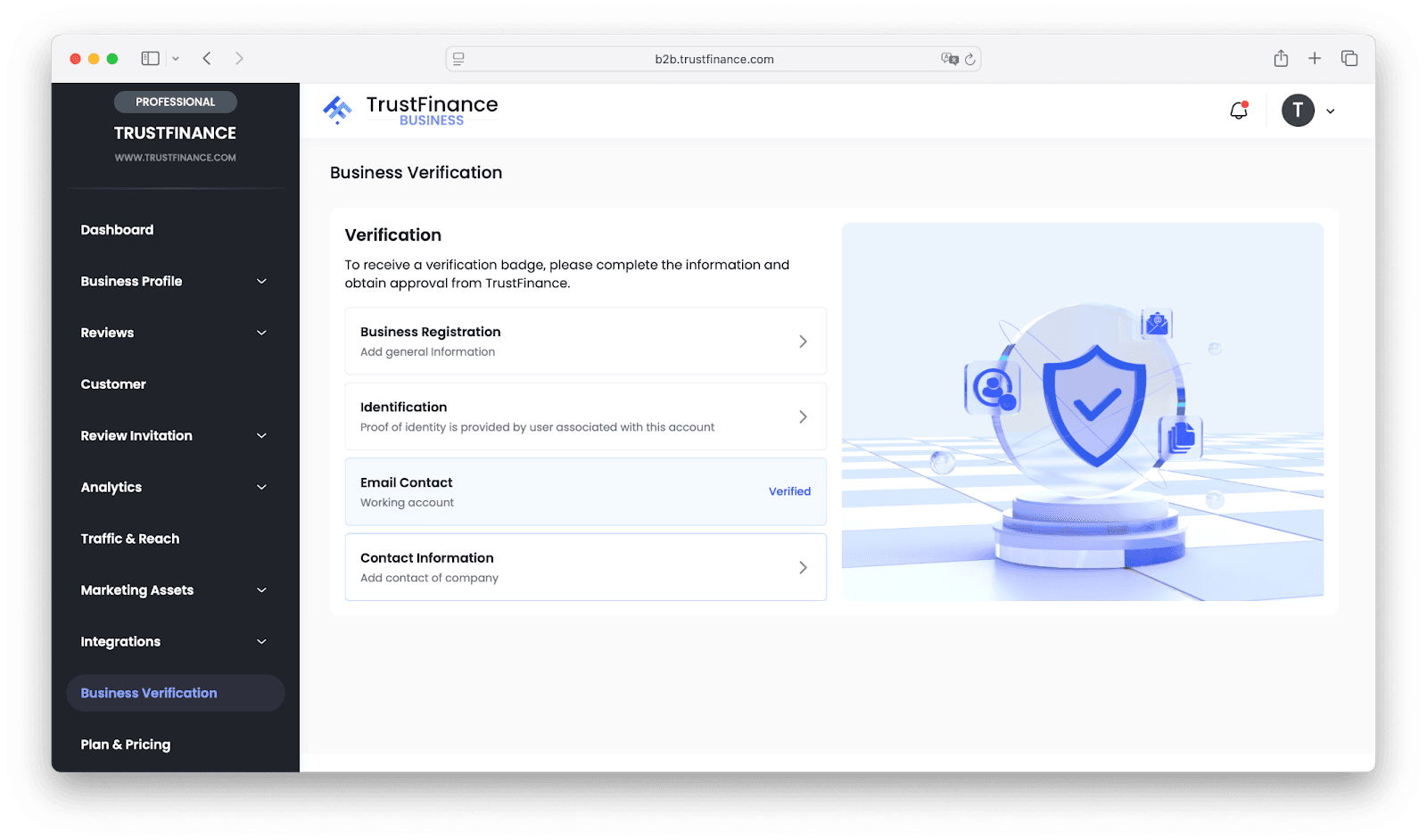
2. Enter Business Registration Details
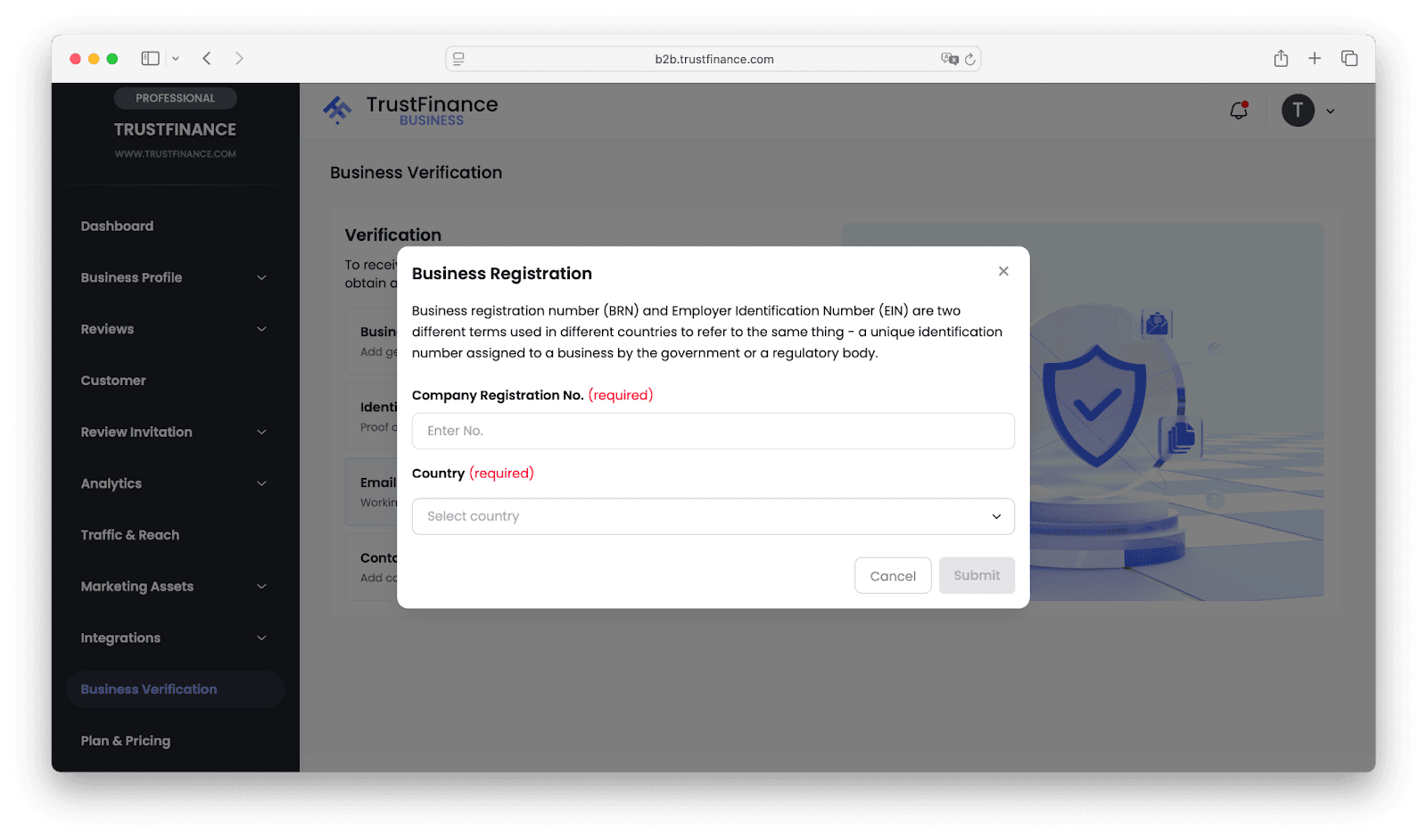
Type your official registration number. Select your registration country from the list. Double-check that these match your business documents.
3. Verify Identity
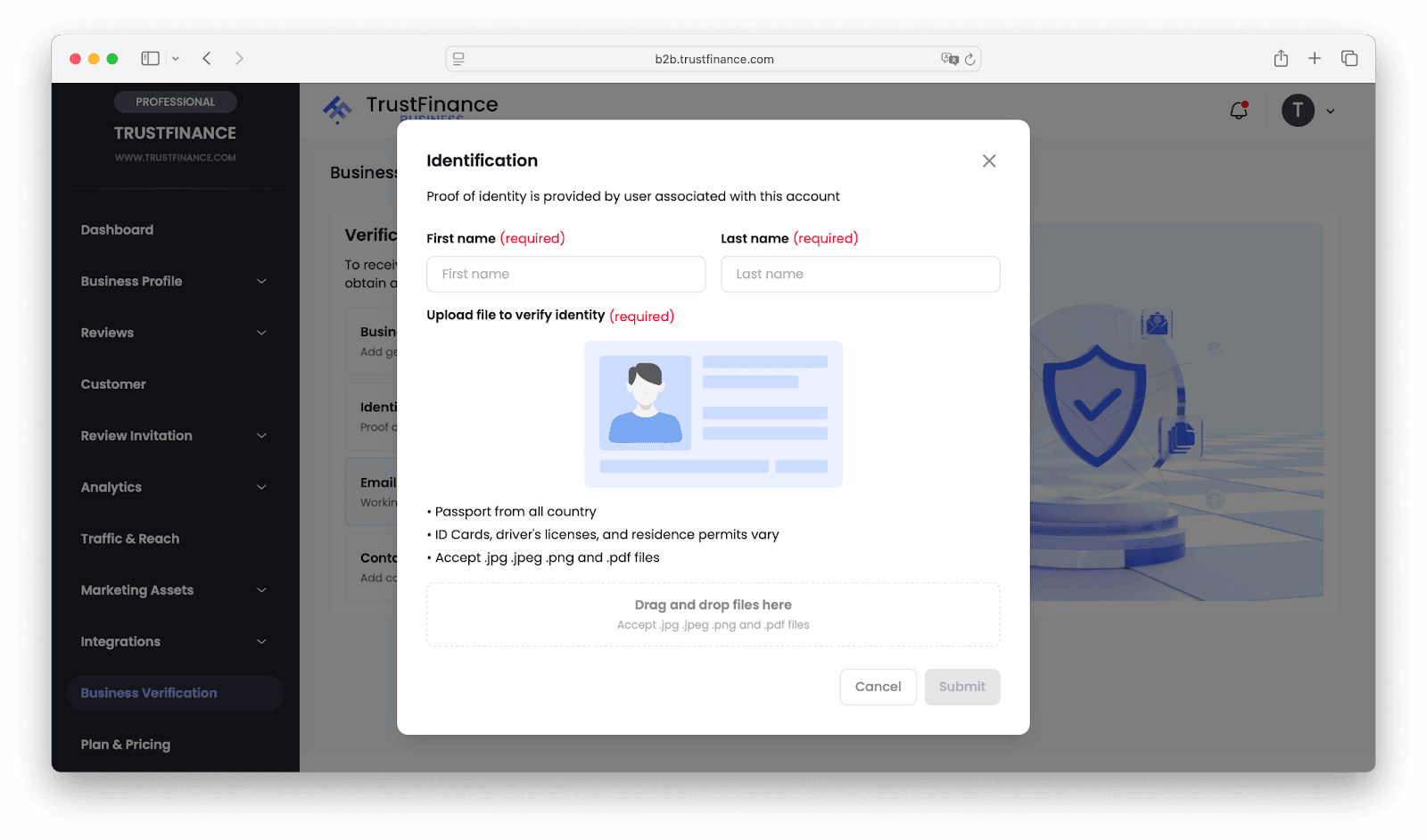
Enter your legal first and last name. Upload a clear photo or scan of your identification document (passport, ID card, driver’s license, or residence permit). Make sure the image is sharp and readable.
4. Add Your Contact Information
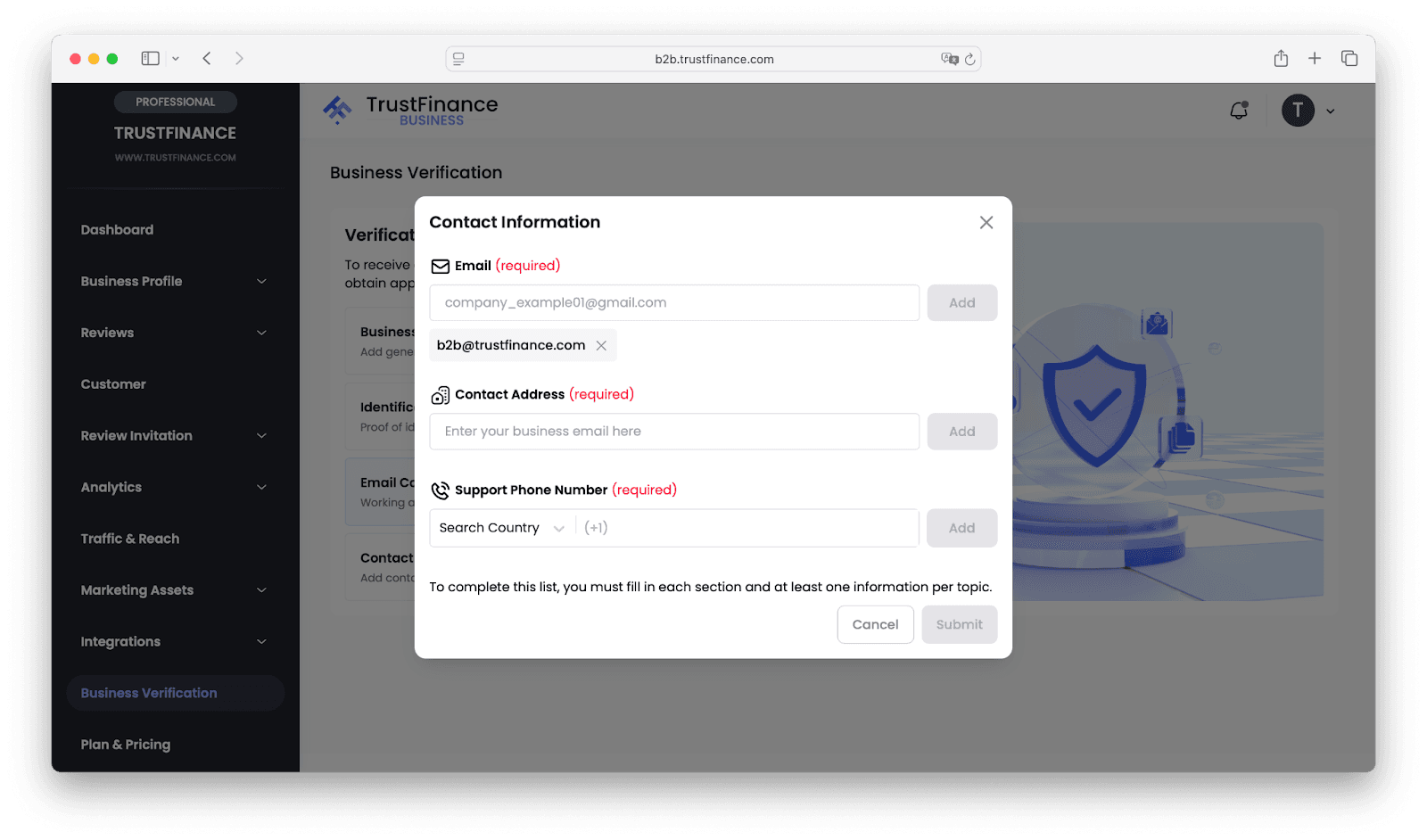
Fill in your business email address, full business address, and support phone number (with country code). Use official, up-to-date contact details.
5. Submit for Review
Review all entries for accuracy. Click submit once everything is correct.
TrustFinance will review your documents and information. If something is missing or unclear, you’ll receive an email requesting updates.
After Submission
- The review process usually takes 3–5 business days.
- If verified, your profile will display the verification badge.
- Respond quickly to any information requests for faster approval.
Tips for a Smooth Verification
- Use high-quality scans or photos for all documents.
- Check for spelling errors or mismatched names.
- Make sure your phone and email are active and correct.
- Update your information if anything changes in your company details.
Benefits of Verification
- Boosts client trust and confidence
- Improves your profile ranking and visibility
- Makes it easier for clients to reach you
Start Your Verification
Ready to get verified? Log in to your TrustFinance account and begin the process today. A verified badge signals trust and helps bring more business your way.
Written by
TrustFinance
TrustFinance helps financial companies build credibility and traders make safer choices through verified profiles, authentic reviews, and research-driven insights.
Best pick of the Week
Related Articles


26 Sep 2025
How to Use Integrations on TrustFinance