Loading
How to Manage and Customize Your Business Profile on TrustFinance

TrustFinance
Sep 23, 2025
5 min read
143

Once your business profile has been claimed, the first thing you should do is ensure it is complete, accurate, and aligned with your brand. Your profile is where potential customers evaluate your trustworthiness — and a well-presented, fully completed profile can significantly increase visibility, drive engagement, and strengthen your reputation across the TrustFinance platform.
This guide walks you through how to manage and customize each part of your profile using the Business Profile section within TrustFinance for Business.
See How to Claim Your Business Profile on TrustFinance
Why Your Business Profile Matters
Your company profile on TrustFinance is more than a basic listing. It’s your official representation to the global financial community — and a core factor influencing your TrustScore, search visibility, and customer perception.
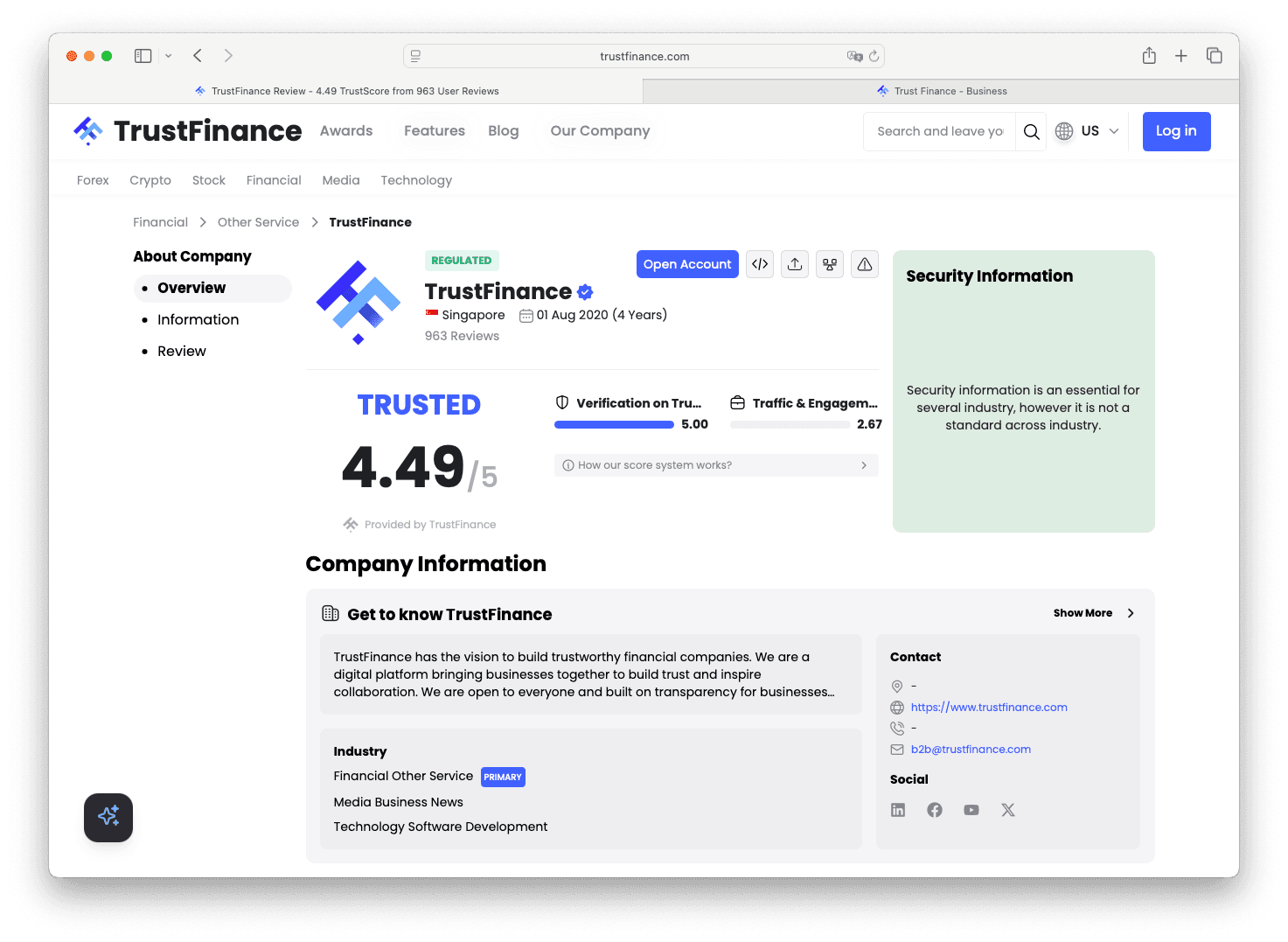
An optimized profile helps you:
- Communicate your legitimacy and regulatory status
- Stand out in comparison tools and search results
- Convert more profile visitors into engaged leads or customers
Accessing the Business Profile Section
To edit your profile:
- Log in to your account at https://b2b.trustfinance.com/login
- In the left-hand menu, click on “Business Profile”
- You'll find multiple tabs that allow you to manage specific sections of your public profile
Business Profile Tabs You Can Manage
1. Overview
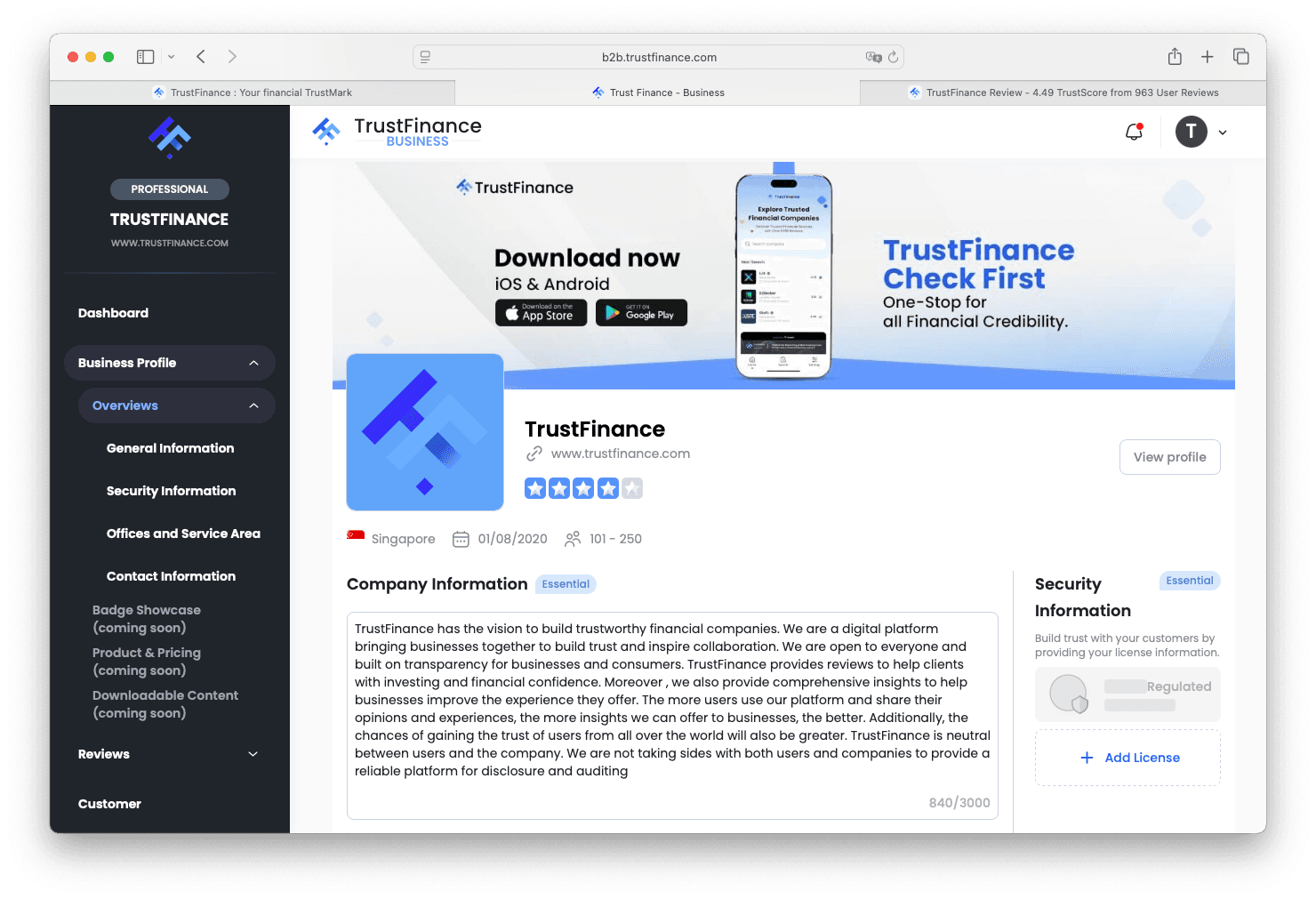
The Overview tab offers a high-level preview of your public profile, including:
- Company branding (logo, cover image)
- General business information (industry, headquarters, licensing presence, contact data)
- A quick visual summary of what’s available in the other tabs
This tab serves as a non-editable summary page for internal reference.
2. General Information
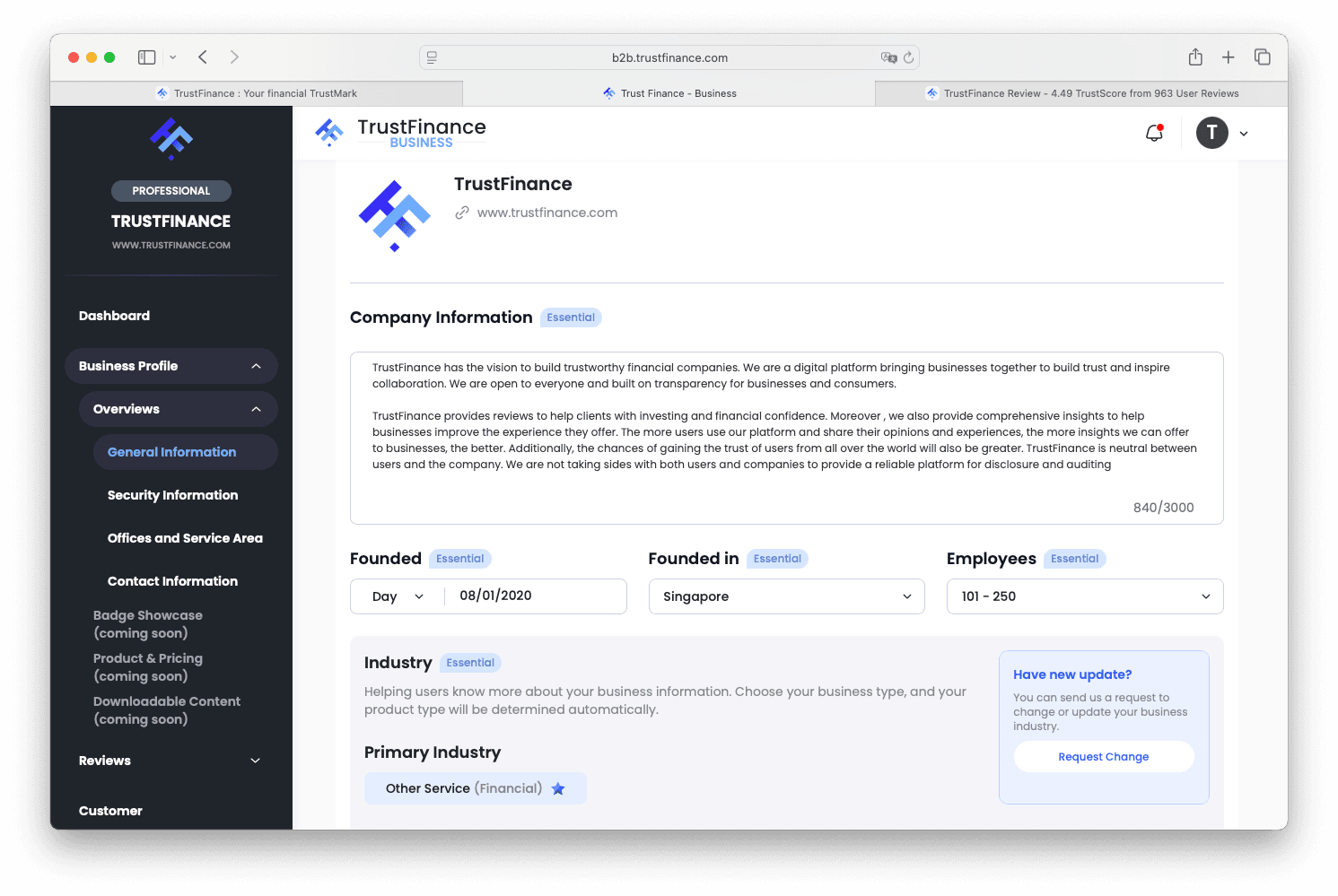
In this tab, you can provide or edit essential business details, including:
- Company overview information
- Year and country founded
- Number of employees
- Industry classification
Ensure the information is consistent with your company’s official documents and digital presence.
3. Security Information
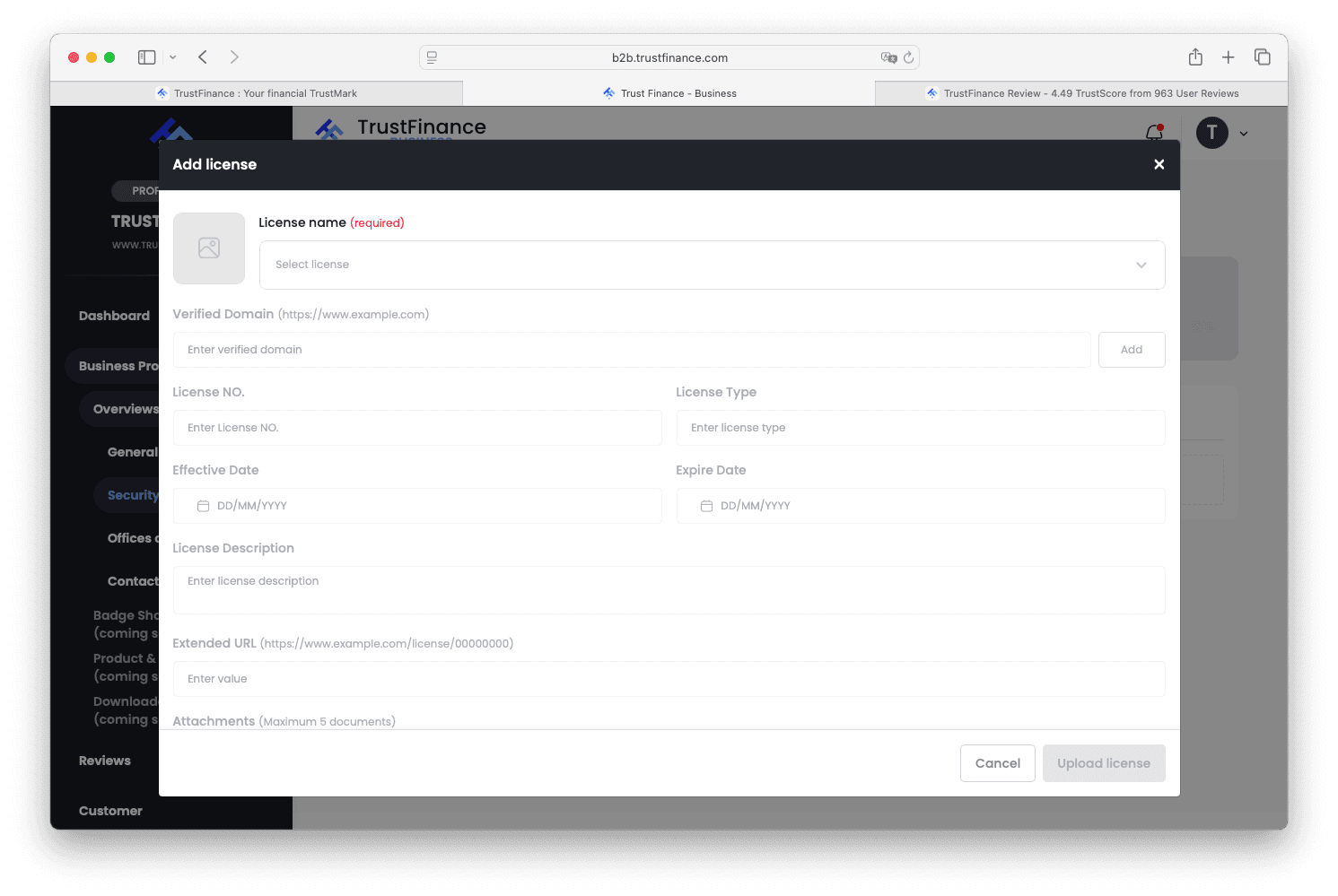
Use this section to establish transparency by submitting:
- Regulatory and licensing information
- Jurisdictions and supervising authorities
- Uploads of required license documents
Note: All submissions will be reviewed by the TrustFinance team before approval. Verified licenses are reflected on your profile with a badge.
4. Offices and Service Areas
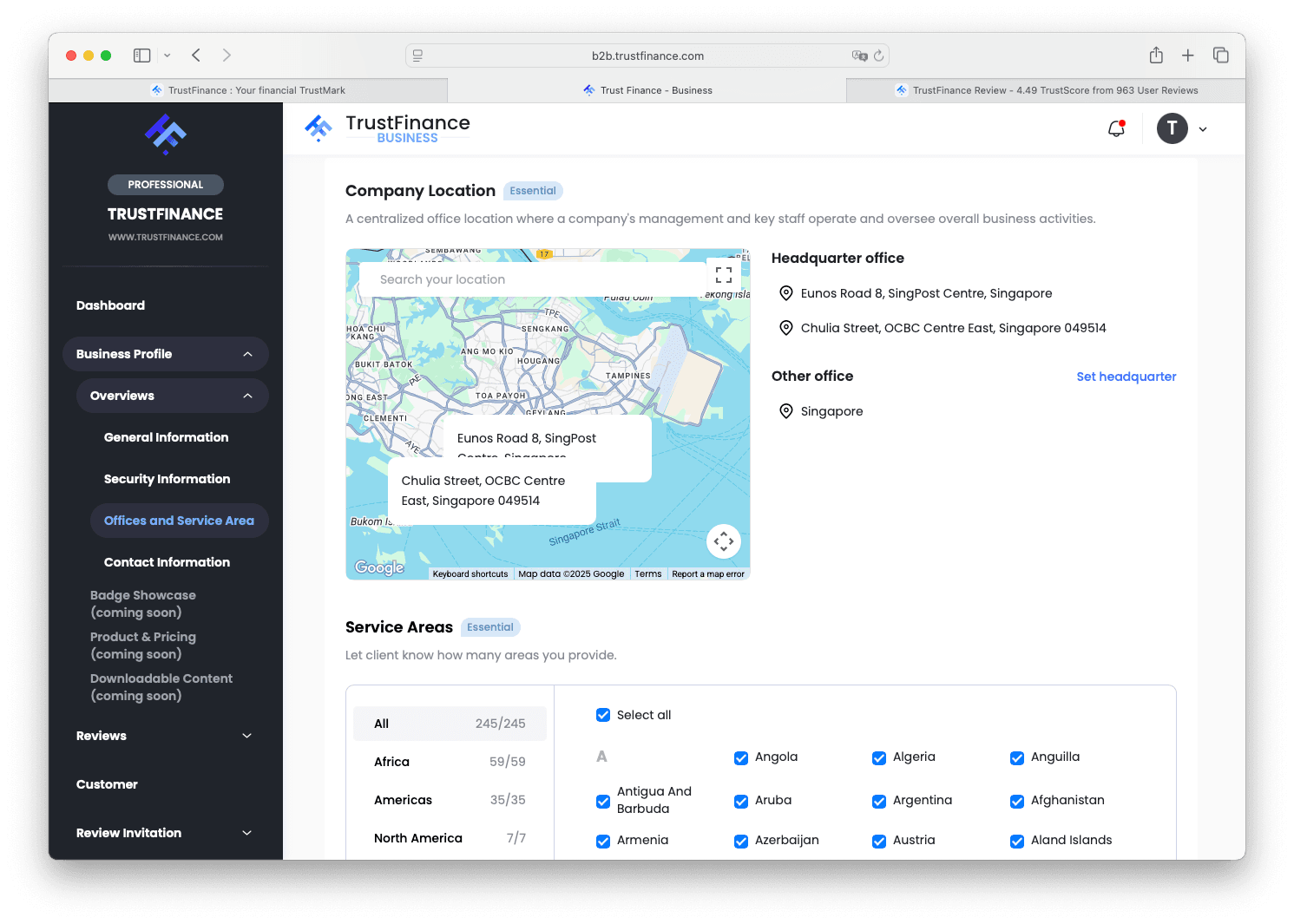
Help users understand where your business operates by adding:
- Office locations (city and country)
- Countries or regions where you provide services
This information improves location-based visibility and relevance in user searches.
5. Contact Information
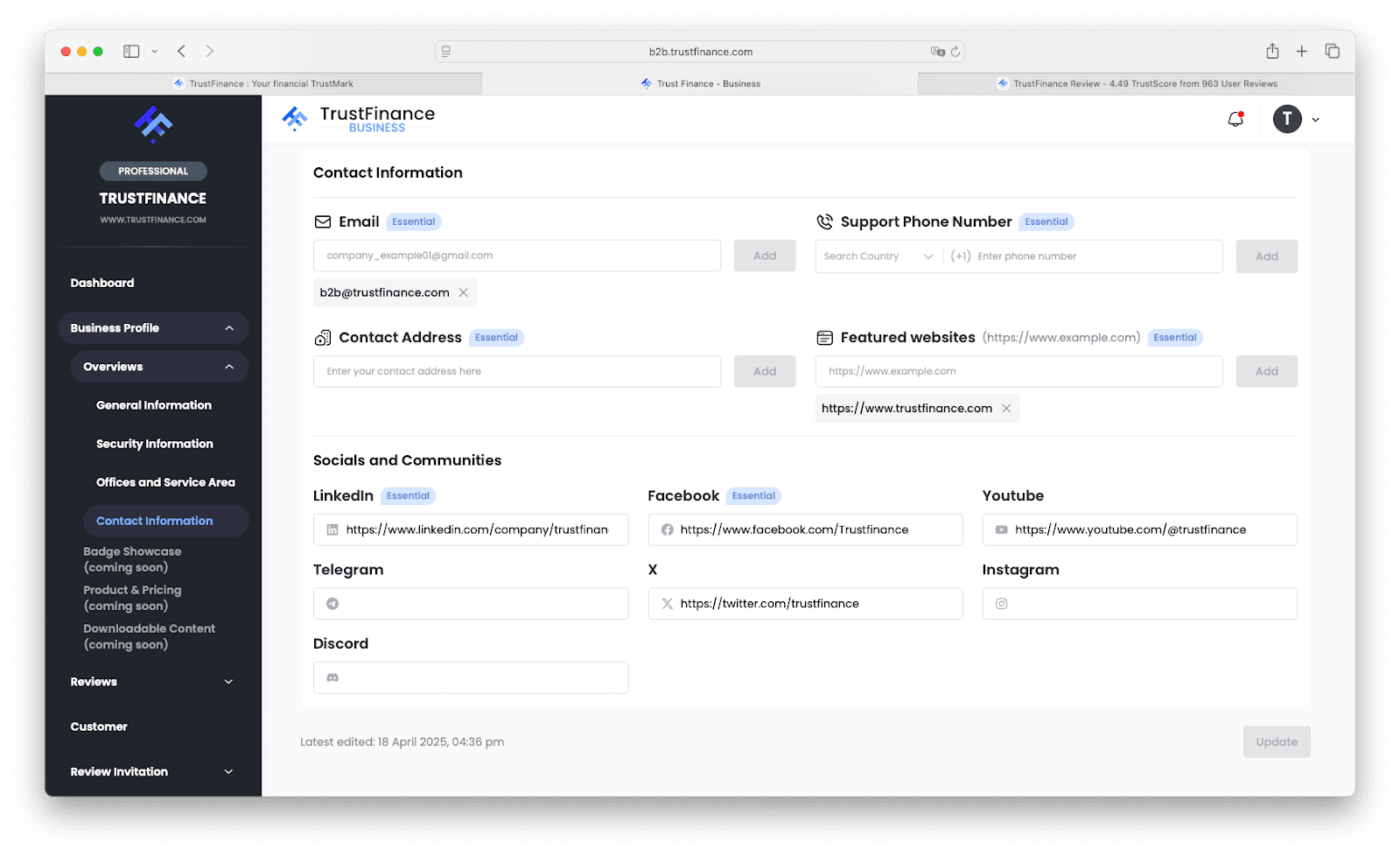
Add or update official contact details for customer and business inquiries:
- Business or support email address
- Phone number (if applicable)
- Social Media Channels
- Customer service channels or links
Providing up-to-date contact information increases trust and accessibility.
Tips for a High-Impact Profile
To maximize your visibility and credibility:
- Ensure your information matches your website and regulatory documents
- Use concise, professional language in your descriptions
- Submit complete licensing documentation to speed up verification
- Aim for 100% profile completeness to unlock visibility and TrustScore benefits
What’s Next?
After you’ve completed your Business Profile setup, we recommend:
- Using the Review Invitation feature to collect client feedback
- Monitoring performance in TrustFinance for Business
- Tracking review and engagement trends in the Analytics section
- Accessing Marketing Assets such as trust badges and widgets to enhance visibility
- Reviewing available Plan & Pricing options based on your business goals
To explore how each feature works in detail, visit the TrustFinance B2B Dashboard Guide, our main resource hub for managing your presence on the platform.
Need Help?
If you're unsure about any part of the profile setup process or need help with license submission, our support team is here to assist:
- Email: [email protected] / [email protected]
- Account Manager: Contact your assigned manager for feature onboarding and plan consultation
Written by
TrustFinance
TrustFinance helps financial companies build credibility and traders make safer choices through verified profiles, authentic reviews, and research-driven insights.
Best pick of the Week
Related Articles


26 Sep 2025
How to Use Integrations on TrustFinance
