Loading
How to Use the Review Invitation Feature to Collect More Reviews

TrustFinance
Sep 23, 2025
4 min read
141

The Review Invitation feature in TrustFinance for Business allows you to proactively collect verified customer feedback—an essential part of building credibility, increasing your TrustScore, and standing out in search and comparison results.
This guide walks you through how to use the tool effectively, both manually and through automation, with clear instructions on each tab: Overview, Invitation, Report, and Setting.
For an overview of all features, visit the TrustFinance B2B Dashboard Guide.
Why Use the Review Invitation Feature?
Customer reviews are one of the strongest trust signals for your brand. With this tool, you can:
- Encourage recent customers to share their experience
- Improve your company’s visibility and TrustScore
- Ensure reviews are tied to real customer actions (especially with automation)
- Centralize performance tracking across all invites
Accessing the Review Invitation Section
Log in to your business account at https://b2b.trustfinance.com/login, and in the left-hand menu, go to:
- Review Invitation → Overview
- Invitation
- Report
- Setting
Each tab plays a distinct role in how you manage and optimize review outreach.
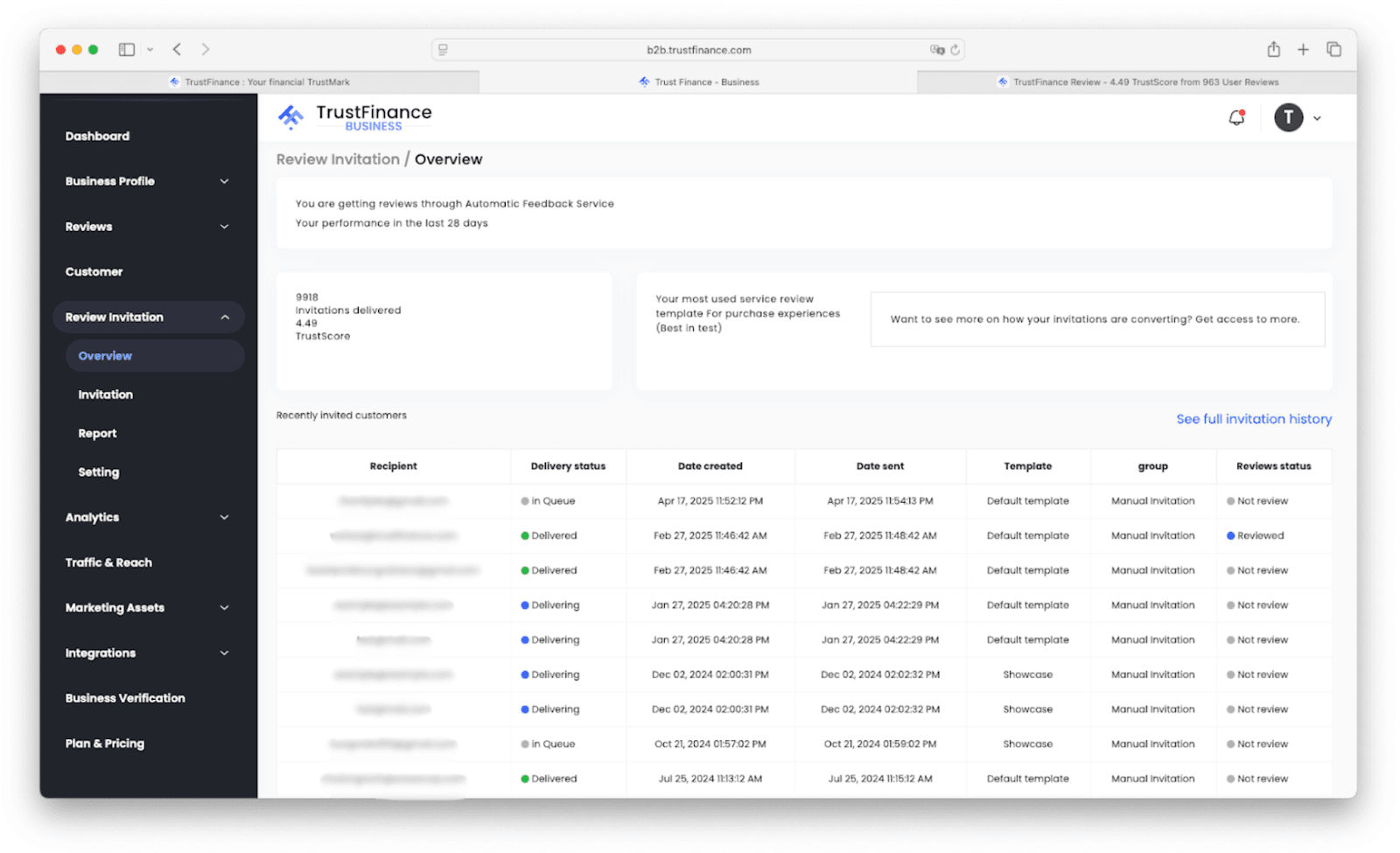
1. Overview Tab
This dashboard gives you a high-level view of your invitation activity:
- Total invitations delivered
- Your current TrustScore
- Recently invited customers with delivery and review status
It’s a useful place to evaluate overall performance and ensure invites are reaching users.
2. Invitation Tab
This is where you send invitations manually or set up automation.
Manual Invitations
- Email Invite
- Click Email Invite.
- Enter customer email addresses by uploading a CSV file.
- Set up and choose your desired email template.
- Send the request.
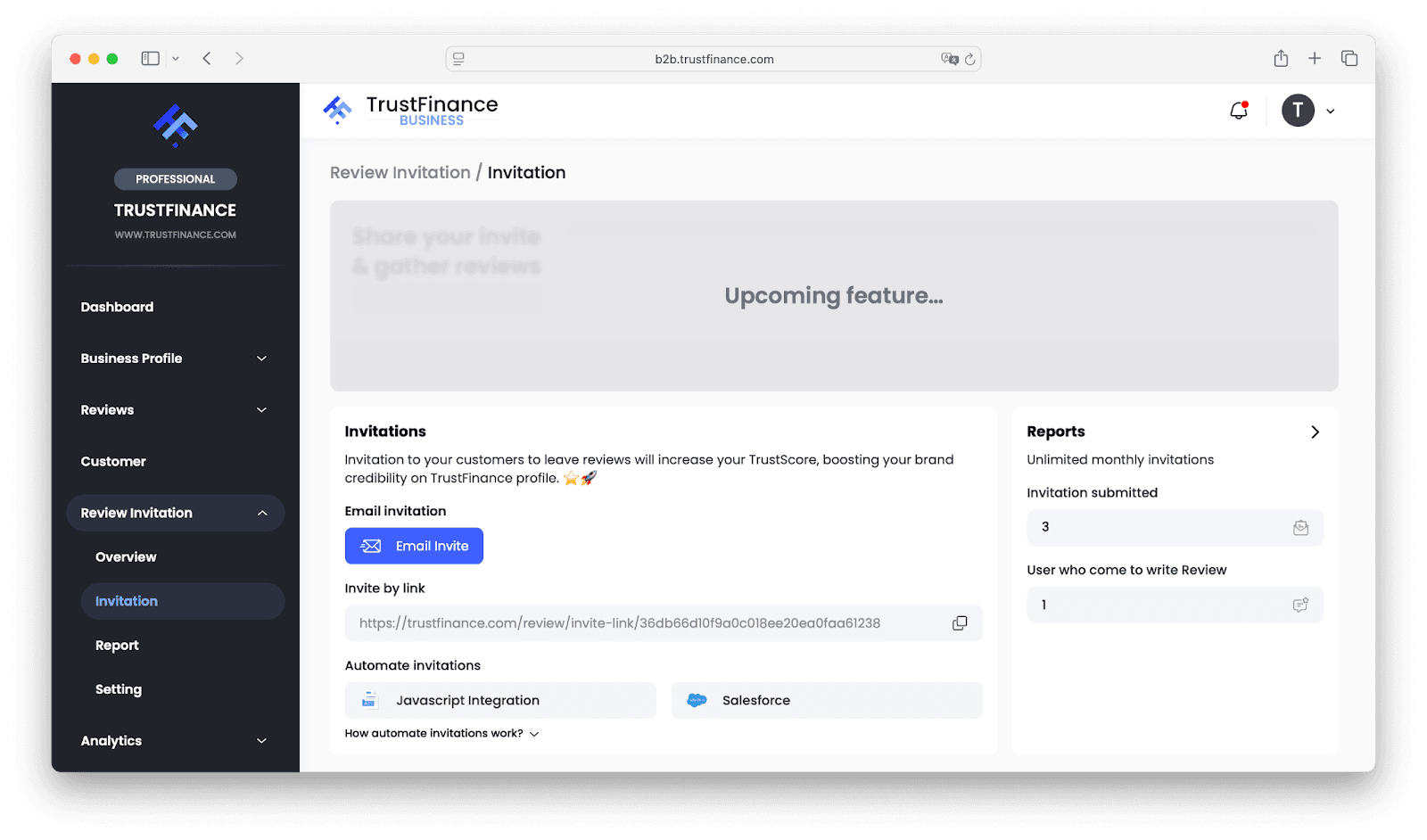
- Invite by Link
- Copy the unique review link provided in the Invitation Tab.
- Share the link with customers via email, SMS, or any other communication channel.
- Customers can click the link to directly access your company’s review page and leave feedback.
Automated Invitations
- Integrate with JavaScript, Salesforce, or other APIs
- Trigger invitations based on actions (e.g., purchase, sign-up, transaction)
- Customer receives an email; their review becomes a verified entry
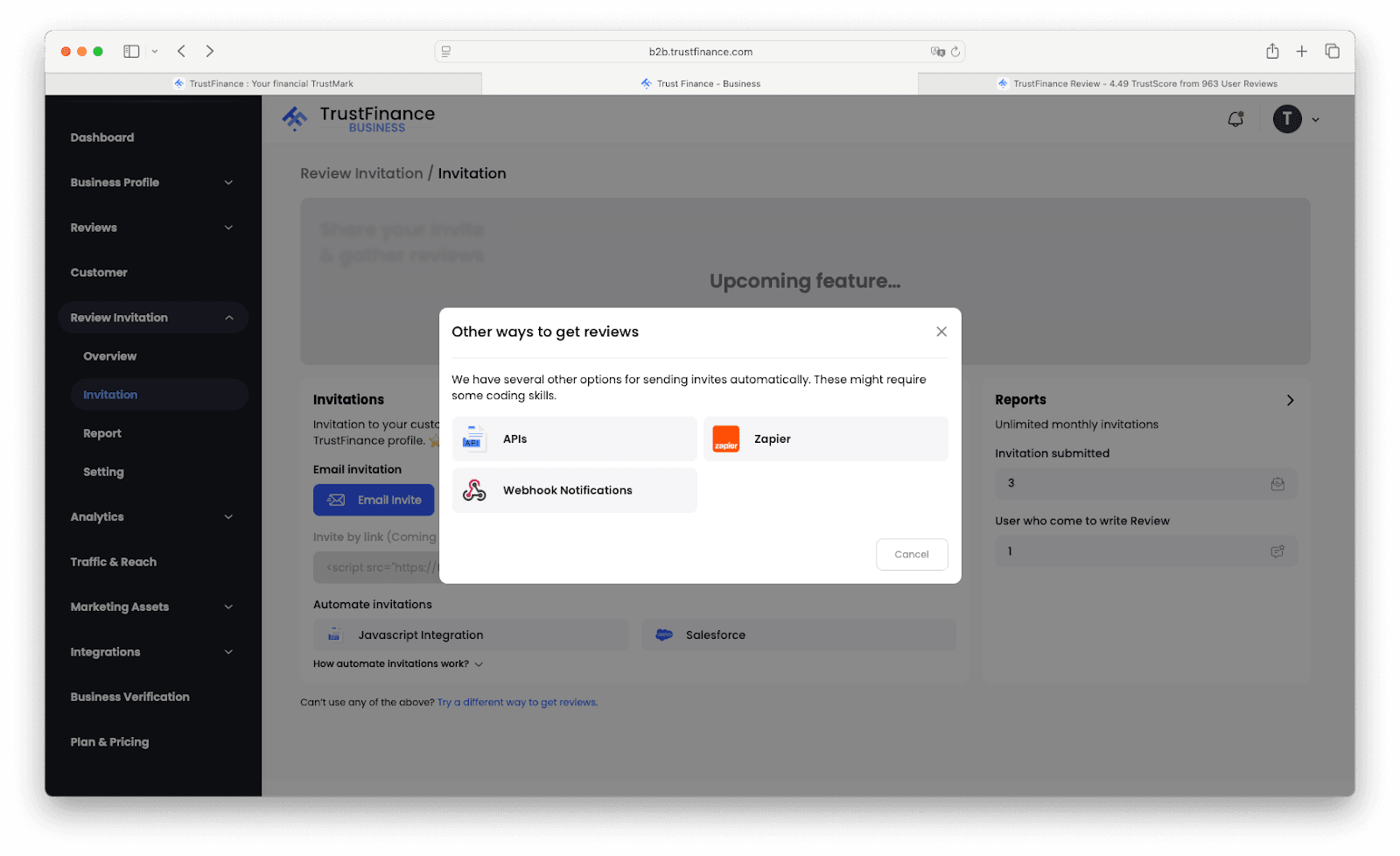
For more about integration options, see How to Integrate TrustFinance with Your Website or CRM.
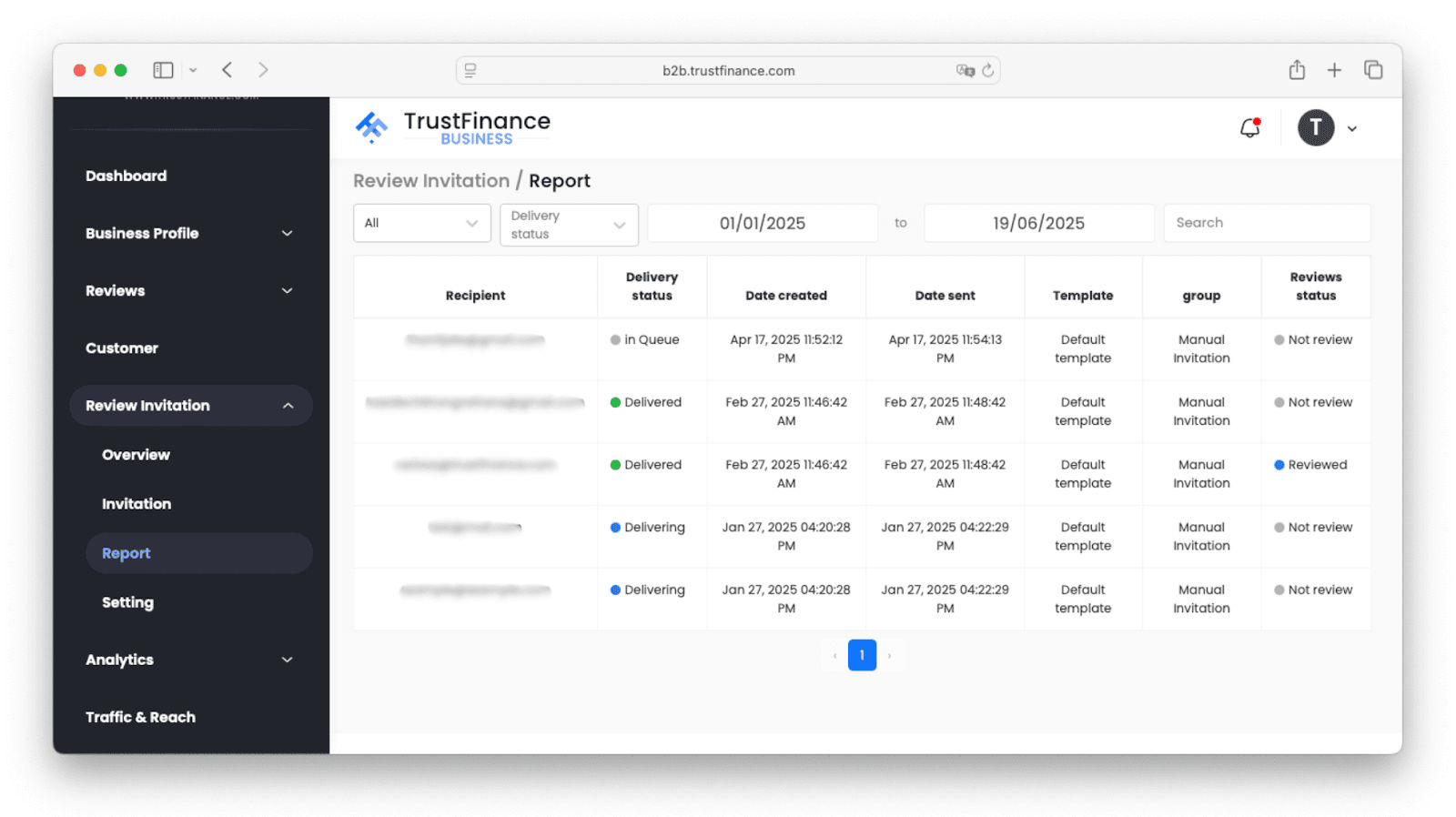
3. Report Tab
This section allows you to filter and analyze the results of your invitation efforts:
- Filter by date, delivery status, method, or template
- See review status (Reviewed / Not Reviewed)
- Evaluate which invitations resulted in reviews
- Optimize based on what’s working
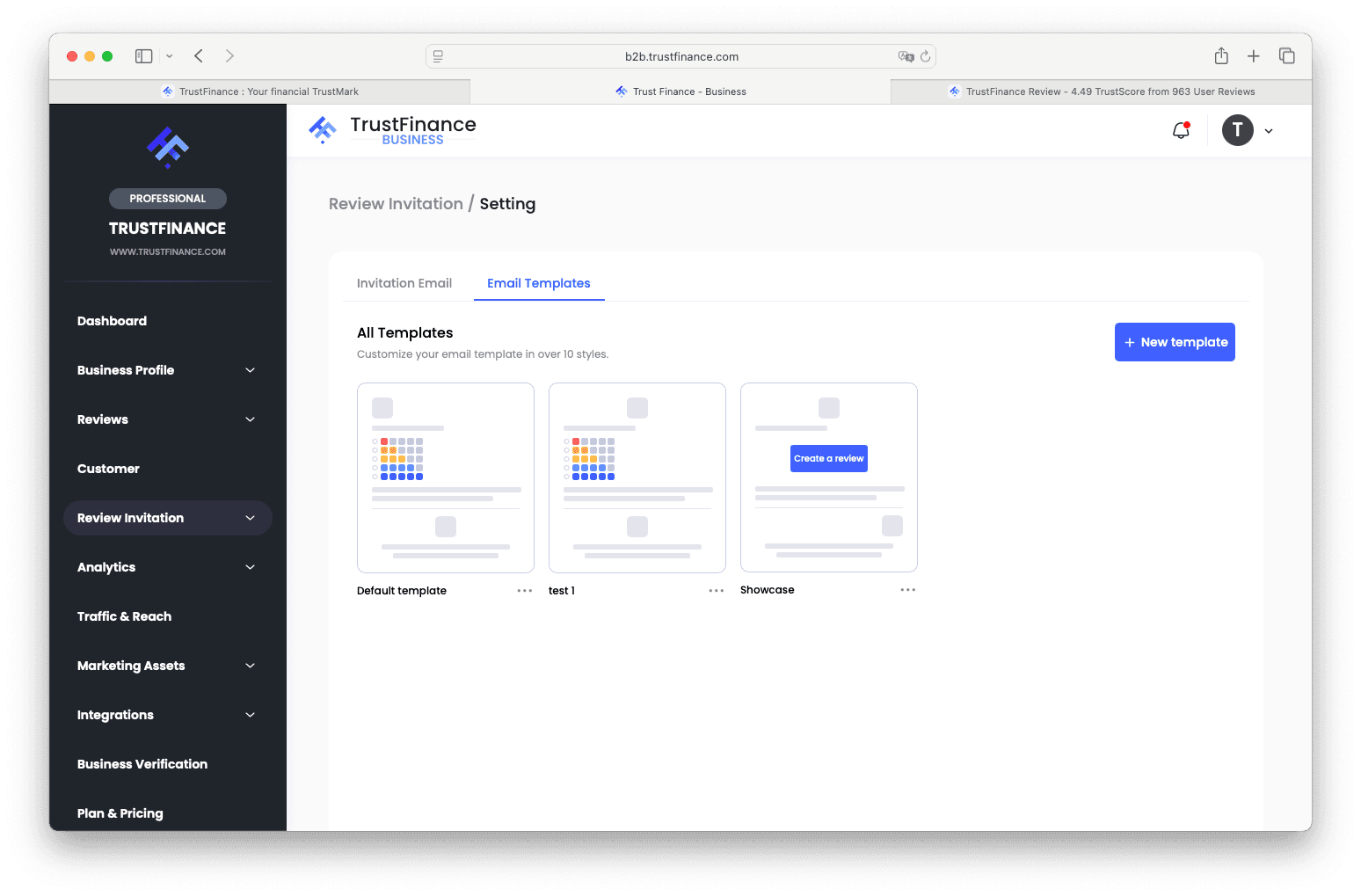
4. Setting Tab
Customize how your invitations are sent:
- Choose default or custom email templates
- Define the sender name, support email, and subject line
- Add privacy policy links
- Use your domain (coming soon)
Best Practices
- Send invites shortly after a customer interaction for higher response rates
- Use automation if your business has high customer volume
- A/B test templates to find what gets more reviews
- Keep tone clear, polite, and on-brand
What Happens After a Review Is Submitted?
- Verified and approved reviews will be publicly shown on your TrustFinance profile
- They contribute to your company’s visibility and TrustScore
- You can monitor all review activity in the Reviews and Analytics sections
Need Help?
If you're unsure about any part of invitation feature or need help with any process, our support team is here to assist:
- Email: [email protected] / [email protected]
- Account Manager: Contact your assigned manager for feature onboarding and plan consultation
Written by
TrustFinance
TrustFinance helps financial companies build credibility and traders make safer choices through verified profiles, authentic reviews, and research-driven insights.
Best pick of the Week
Related Articles


26 Sep 2025
How to Use Integrations on TrustFinance
