Loading
Related Articles
Fed Rate Hikes Are Back in 2026: What a Return to Tightening Means for the Dollar, Gold, and Traders
Fed Rate Hikes Are Back in 2026: What a Return to Tightening Means for the Dollar, Gold, and Traders
Related Articles

Thanakit Sutto
11月 23, 2026
9 min read
0

TradingView is an online platform for price charts and technical analysis. It runs in a web browser, as a desktop app and on mobile, and covers charts for stocks, indices, currencies, gold and crypto.
Many people use TradingView only to look at charts and never send orders through it. This guide explains what the free plan can do, what is on the screen and how to start without mixing up chart reading and real trading.
Key takeaways
|
TradingView is a platform that brings price charts from many markets into one place. You can open a chart straight from the browser without installing anything.
Users mainly do five things on TradingView.
If candlesticks, TradingView's default chart type, are new to you, start with how each candle shows the open, high, low and close of one period.
Yes. The free plan is called Basic, and there are four paid tiers: Essential, Plus, Premium and Ultimate. The free plan's main limits are the number of indicators, charts and alerts.
| Item | Basic (free) | Essential (first paid tier) |
|---|---|---|
| Indicators per chart | 2 | 5 |
| Charts per tab | 1 | 2 |
| Saved chart layouts | 1 | 5 |
| Active price alerts | 3 | 20 |
| Minute-level history | Not stated in the table | 180 days |
These figures come from TradingView's Pricing page as of 23 November 2026. Paid plan prices change often with promotions, so check the latest Pricing page before deciding. For beginners who look at charts now and then, the free plan is usually enough to learn.
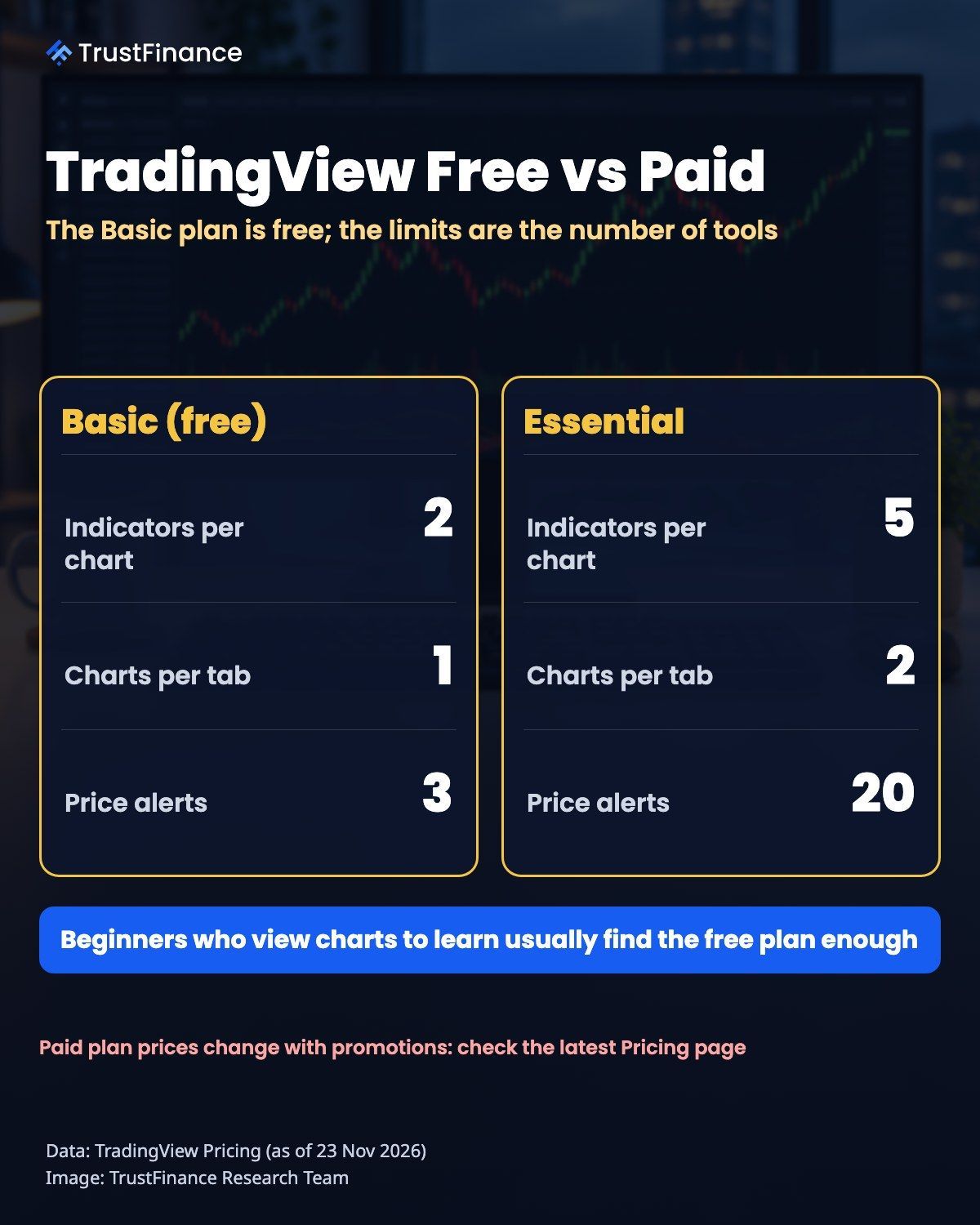
TradingView's free Basic plan allows 2 indicators per chart, 1 chart per tab and 3 price alerts, while Essential allows 5, 2 and 20.
Data: TradingView Pricing (as of 23 Nov 2026) · Image: TrustFinance Research Team
The TradingView chart screen has four main parts. Knowing where each one is makes the platform faster to use.
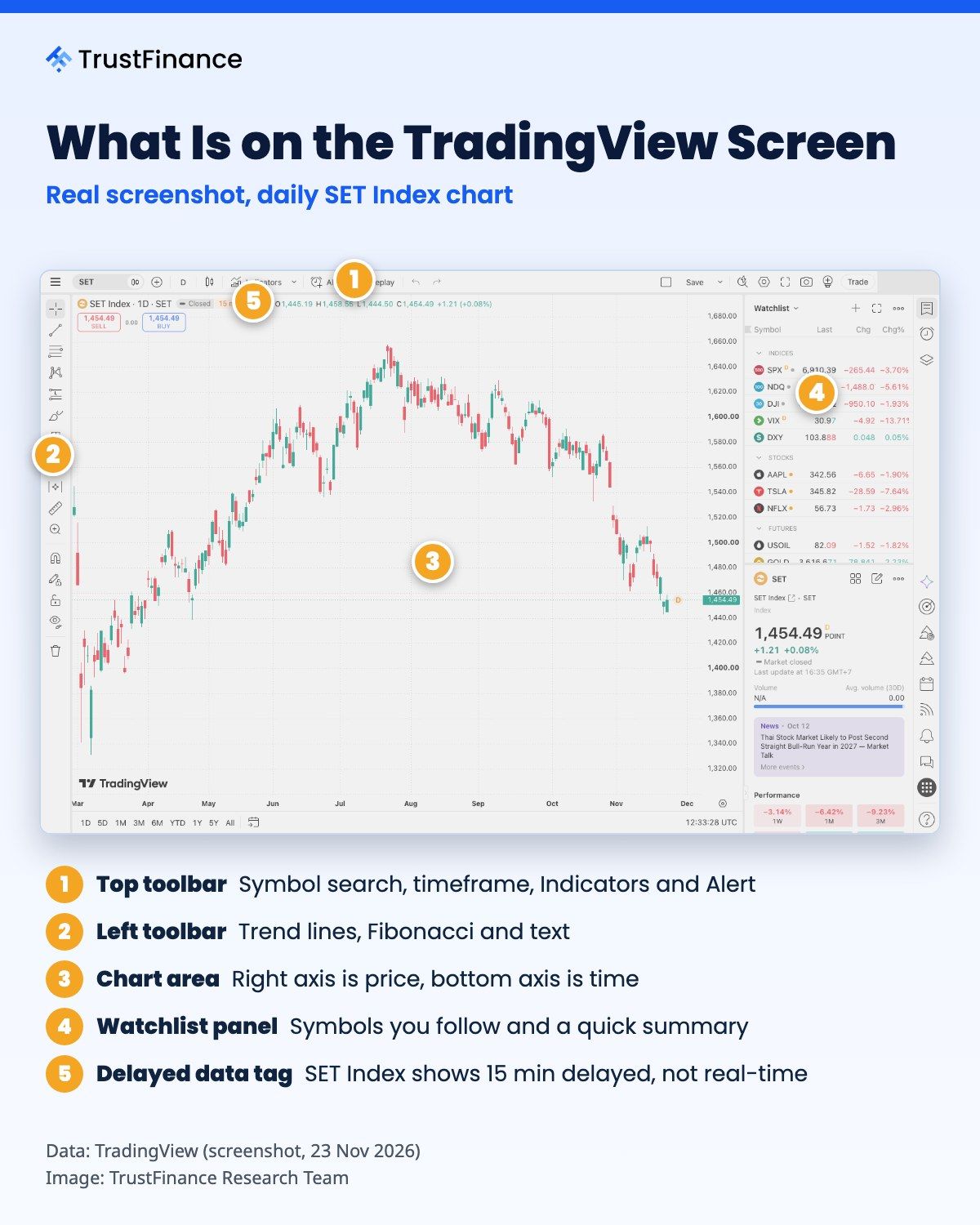
The TradingView chart screen has four main parts, a top toolbar, a left drawing toolbar, the chart area and a watchlist panel, and the SET Index shows a 15-minute delayed data tag.
Data: TradingView (screenshot, 23 Nov 2026) · Image: TrustFinance Research Team
You can start in five steps, without connecting any trading account.
Some markets on TradingView show delayed data, not real-time prices. Always check the tag next to the symbol name.
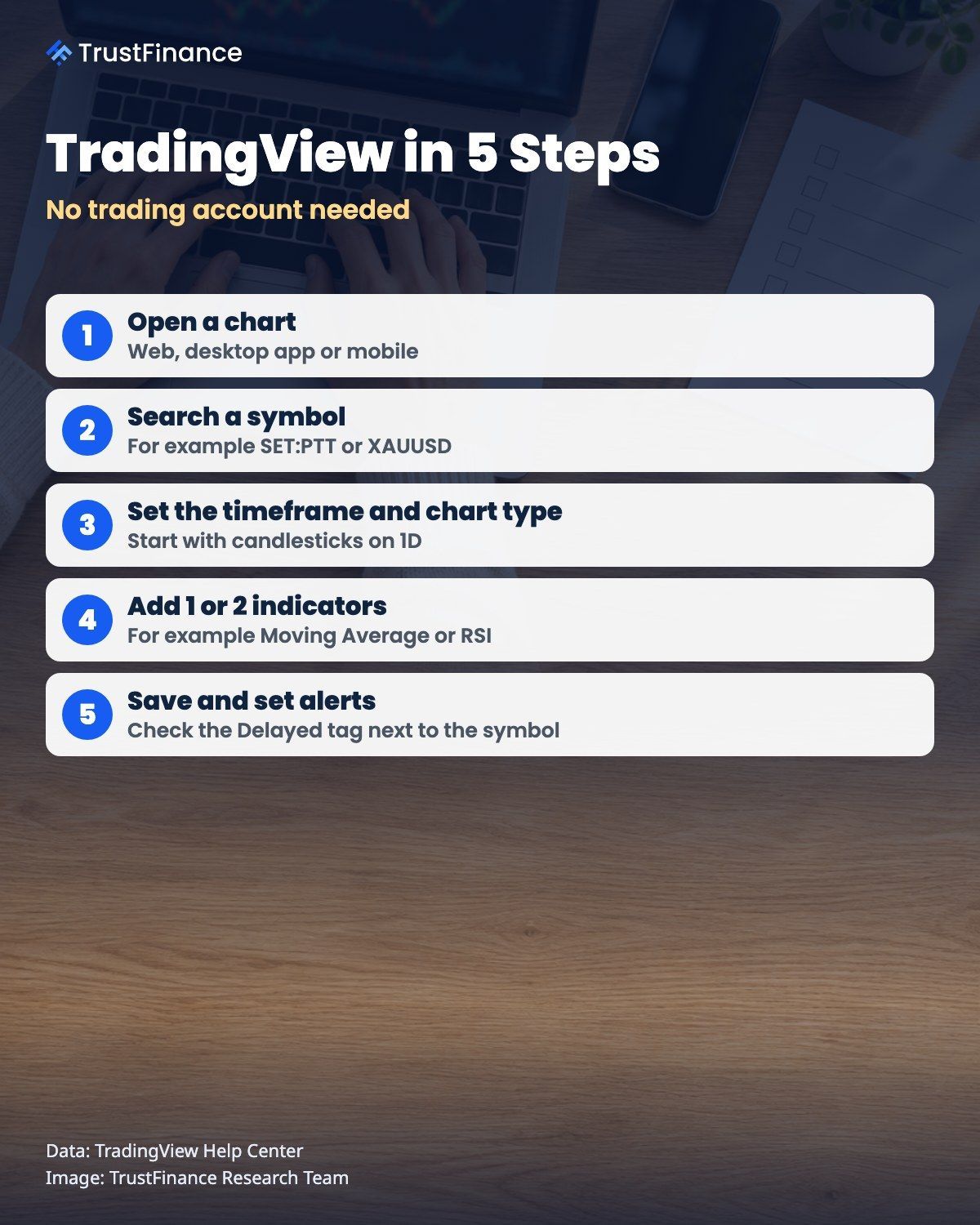
Getting started on TradingView takes five steps: open a chart, search a symbol, set the timeframe, add one or two indicators, then save the layout.
Data: TradingView Help Center · Image: TrustFinance Research Team
Indicators are added from the Indicators button at the top, and lines are drawn from the left toolbar. Double-click either one to edit its settings.
A price alert only sends a notice; it does not place an order. Orders that follow price, such as a trailing stop, work at the broker, not inside the alert.
They have different main purposes. TradingView focuses on charting and analysis across many markets, while MT4 and MT5 are programs that brokers provide for sending orders to an account with that broker.
| Item | TradingView | MT4 / MT5 |
|---|---|---|
| Main purpose | Charting and analysis, usable without a broker account | Sending orders through the broker that provides it |
| Markets you can view | Stocks, indices, currencies, gold and crypto in one place | Only what that broker offers |
| Where it runs | Web browser, desktop, mobile | Desktop, mobile and the broker's web terminal |
| Custom tools | Pine Script | MQL4 / MQL5 |
| Cost | Limited free plan plus monthly or yearly plans | The program is free; costs are trading fees |
TradingView is a tool, not a source of investment advice. Most risks come from misreading what the tools mean.
| Myth | Fact |
|---|---|
| Posts on the Ideas page are reliable advice | They are opinions from ordinary users, not checked and not investment advice |
| Paper Trading profits will happen with real money | Paper Trading uses play money, with no real costs and none of the emotional pressure of real money |
| Every market on the chart is real-time | Some markets are delayed; check the tag next to the symbol |
| Brokers that connect to TradingView are approved | A connection is not a licence; Forex providers are not licensed in Thailand |
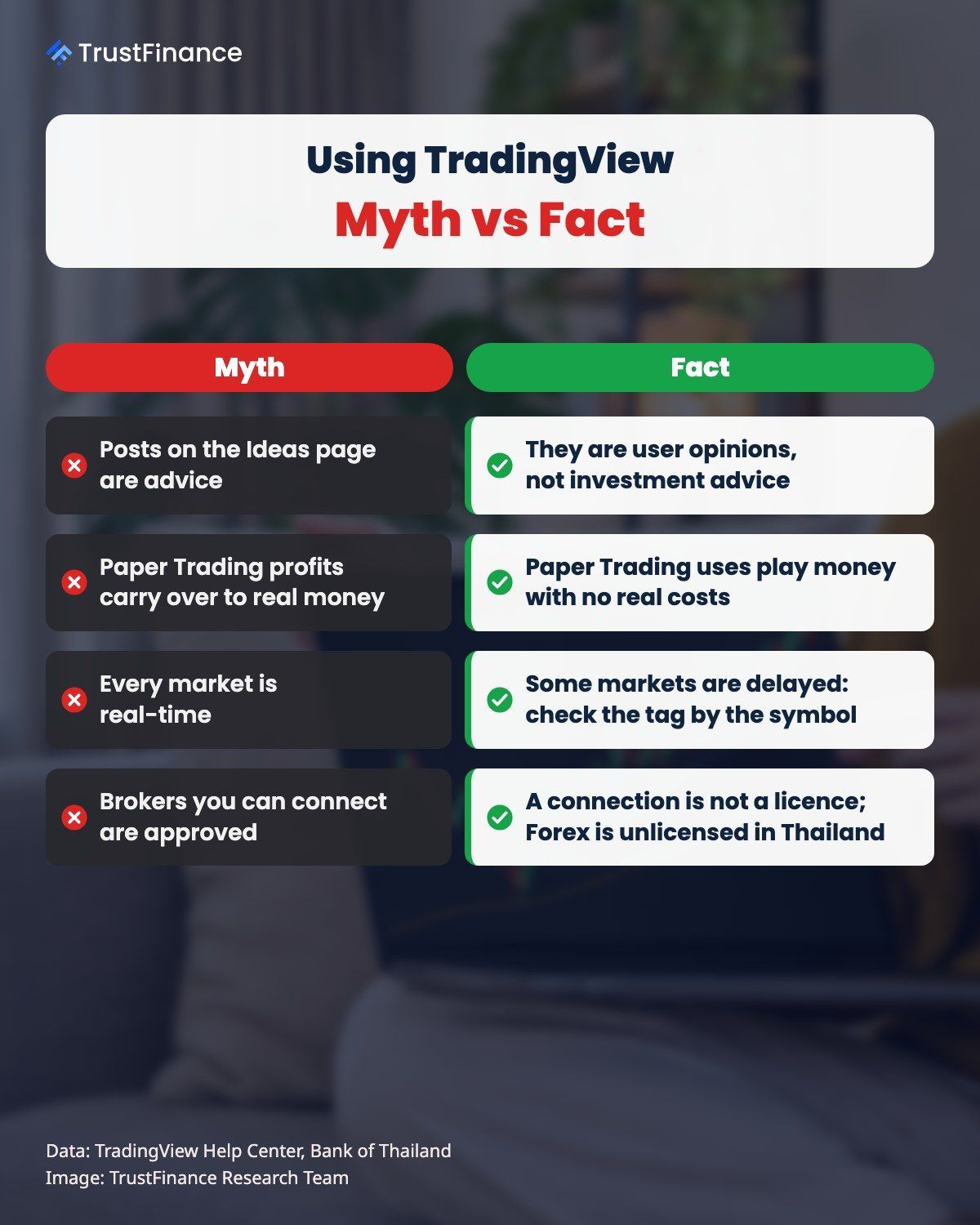
Posts on TradingView's Ideas page are opinions from ordinary users, Paper Trading uses play money, and some markets show delayed price data.
Data: TradingView Help Center, Bank of Thailand · Image: TrustFinance Research Team
| Note: Forex and CFD trading with overseas providers is not licensed or supervised by any authority in Thailand. The Bank of Thailand says it has no policy to license Forex business for investment or speculation (BOT news, 25 Jun 2026). Legal options in Thailand include foreign currency deposit accounts and futures on TFEX (BOT Forex page, in Thai). |
This article is for education only. It is not investment advice or an offer to buy or sell securities, digital assets or derivatives, and no return is promised. Readers should study the information and assess the risks themselves before deciding.
Yes. The Basic plan costs nothing and allows 2 indicators per chart, 1 chart per tab and 3 price alerts.
Yes. Search with SET followed by the stock code, for example SET:PTT, and check whether the data is real-time or delayed.
TradingView itself is a charting tool. Real trades go through a connected provider, and the risks and licence status depend on that provider.
It is simulated trading with play money, used to practise the platform and test ideas. Its results do not show what real money would do.
No. Built-in indicators work right away. Pine Script is for people who want to build their own tools.
TradingView is an online charting platform you can use for free. The Basic plan is enough to learn chart reading, with 2 indicators per chart.
Start by searching a symbol, setting a timeframe, adding a few indicators and saving the layout, and keep chart reading, simulated trading and real trading clearly apart.
Other references: Bank of Thailand (Forex status in Thailand), Thai SEC (licence check system market.sec.or.th)
Fact-checked by TrustFinance Research Team · Information as of 23 November 2026
Thanakit Sutto
Content & PR Lead at TrustFinance. A finance writer who makes investing easy to understand.


